

Build your
Office apps
Start from a template or describe it to AI, and keep the data on your own NAS
Get started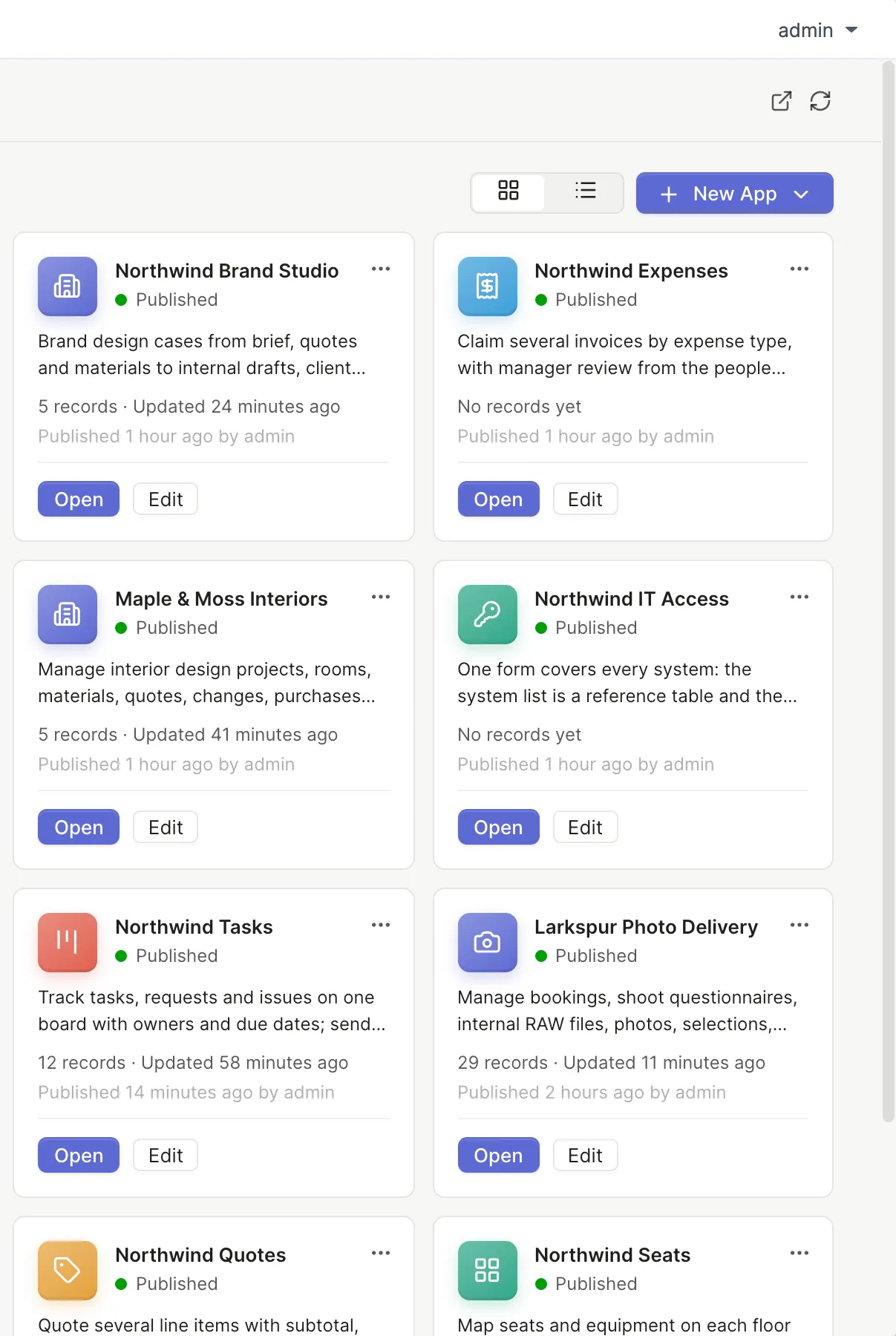
Which tools do you pay for now?
Tap one to see which templates take over
Pick a tool and the matching templates light up
- Law firm matters
- Timesheets
- Contracts
- Invoices
- Photo delivery
- Bookkeeping firm
- Field service
- Quotes
- Inventory in and out
- Brand design studio
- Video production & sponsorships
- Tasks and issues
- Projects and milestones
- Weekly meeting
- OKR tracking
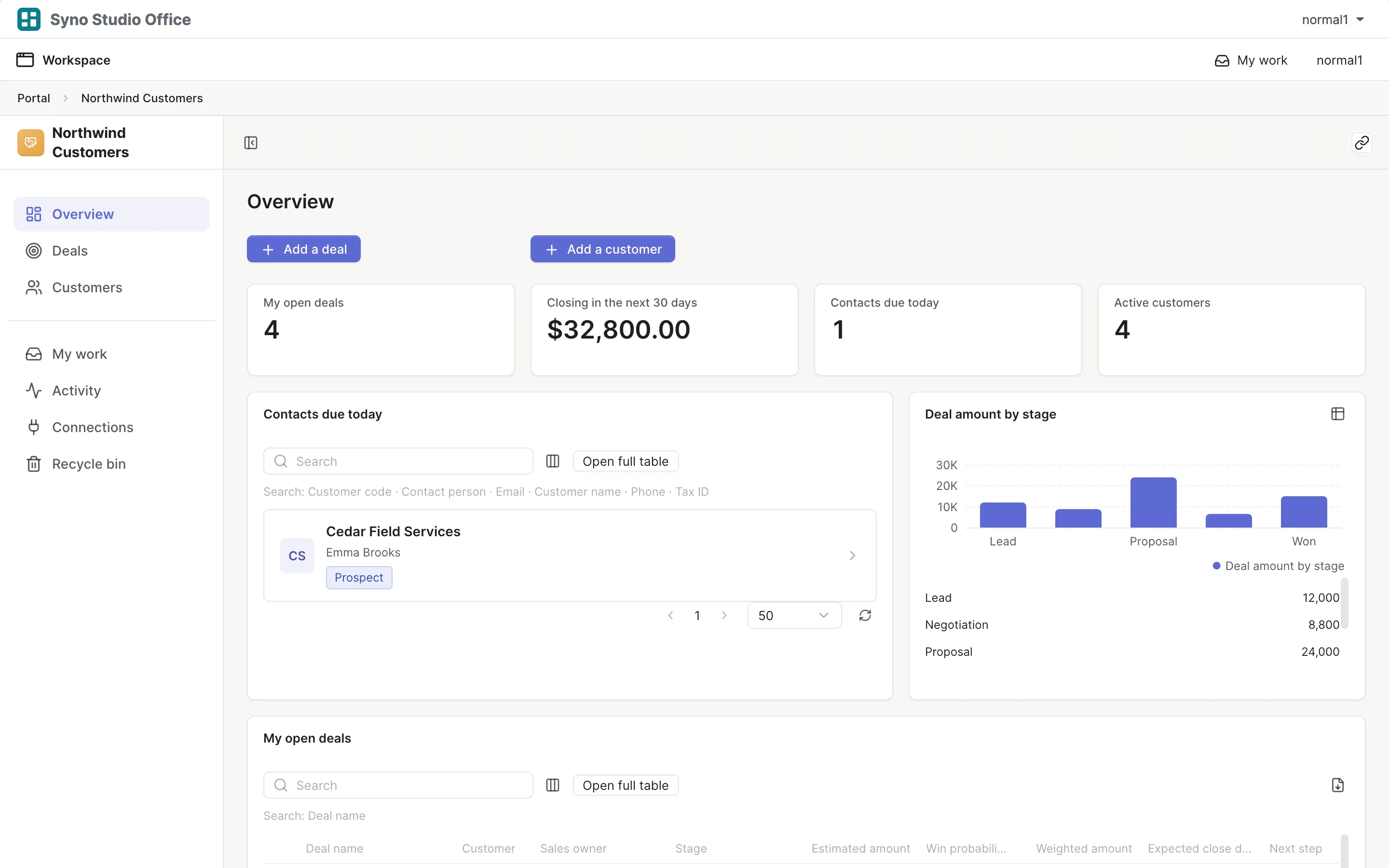
- Customers and deals
- Expense reimbursement
- Purchase requests
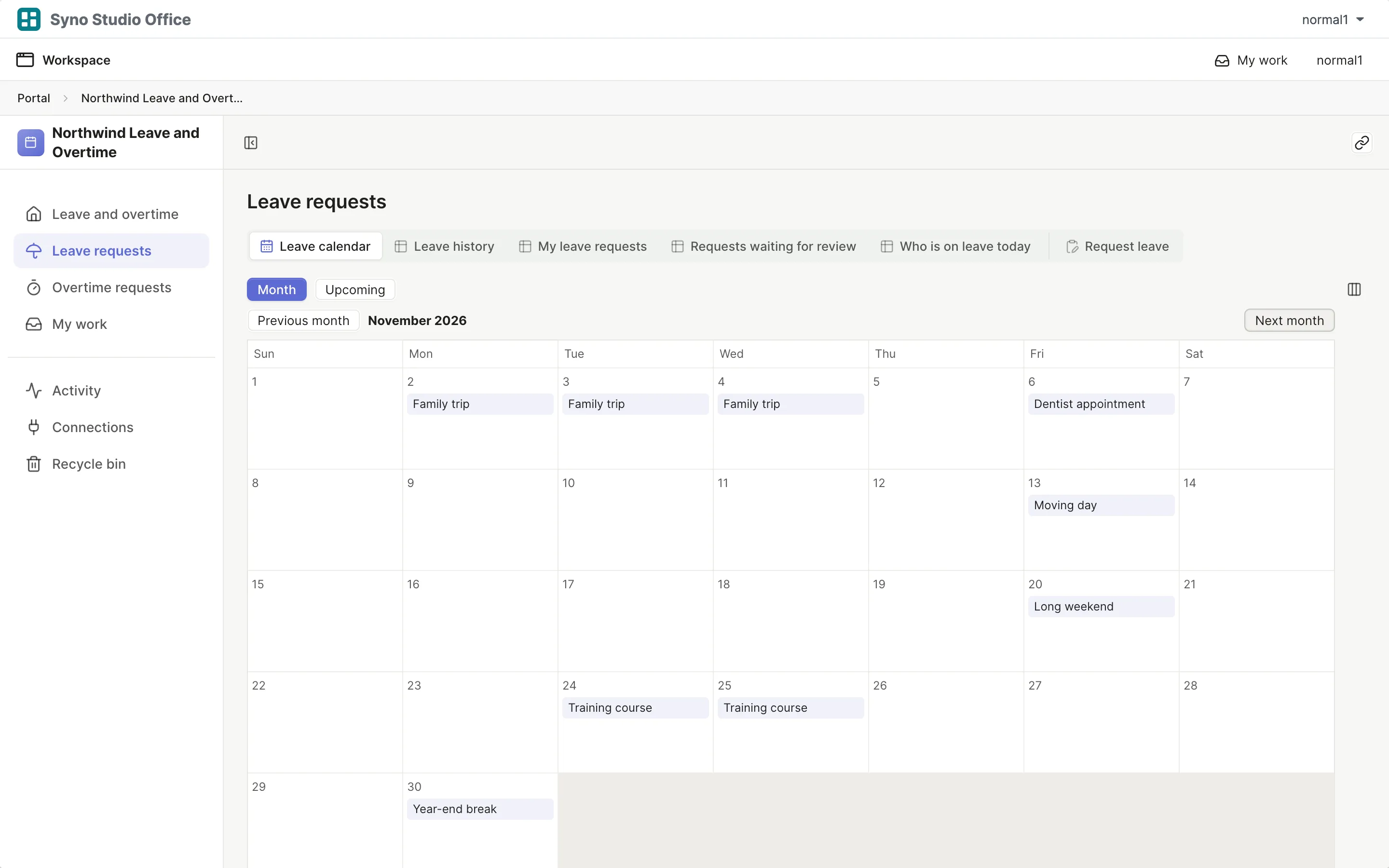
- Leave and overtime
- Leave, quotas and clock-in (advanced)
Describe it, and it is built
AI plans, changes and troubleshoots, using the AI service you choose
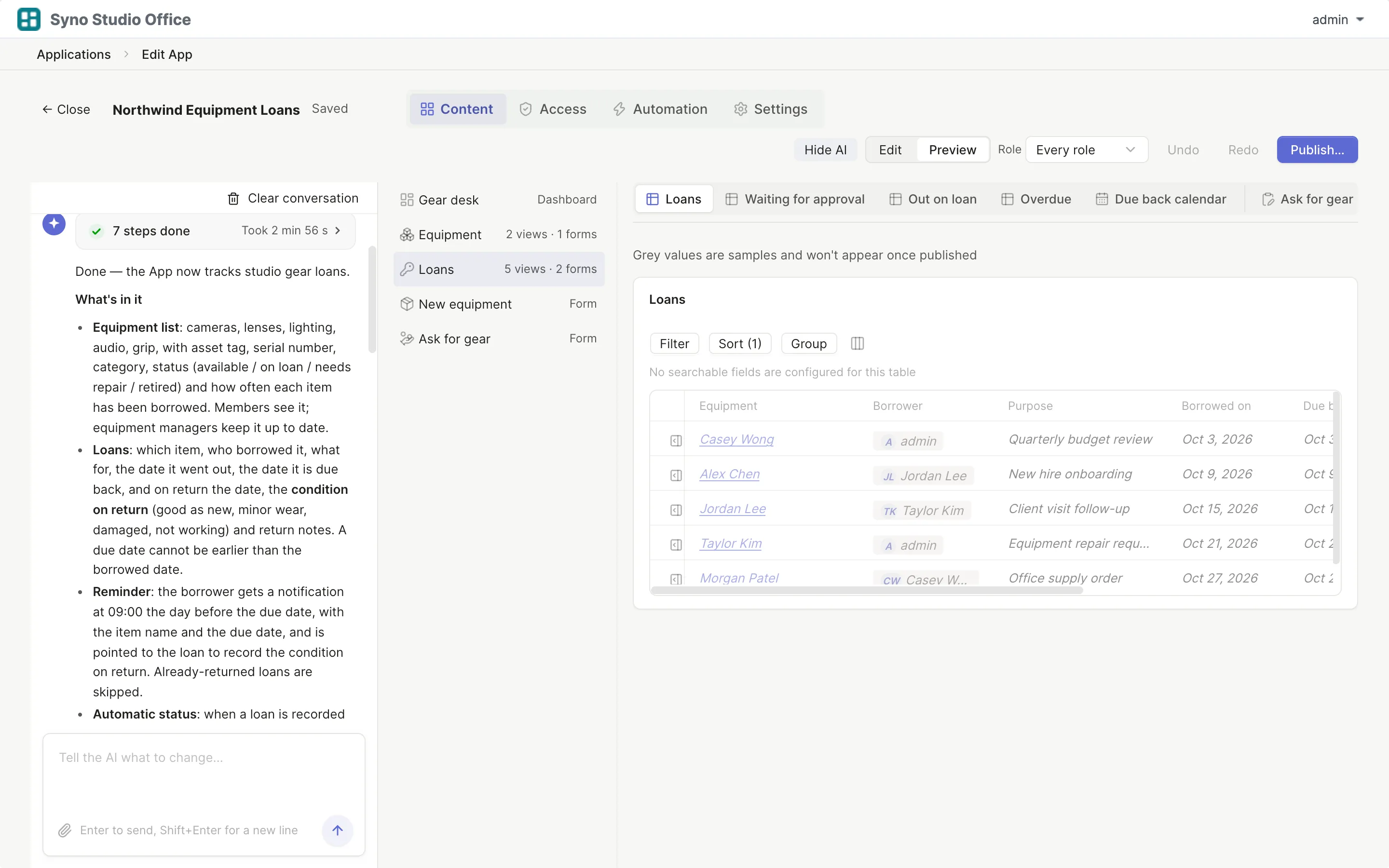
One sentence and the app is built
AI plans the tables, pages and flows, then checks them before handing over
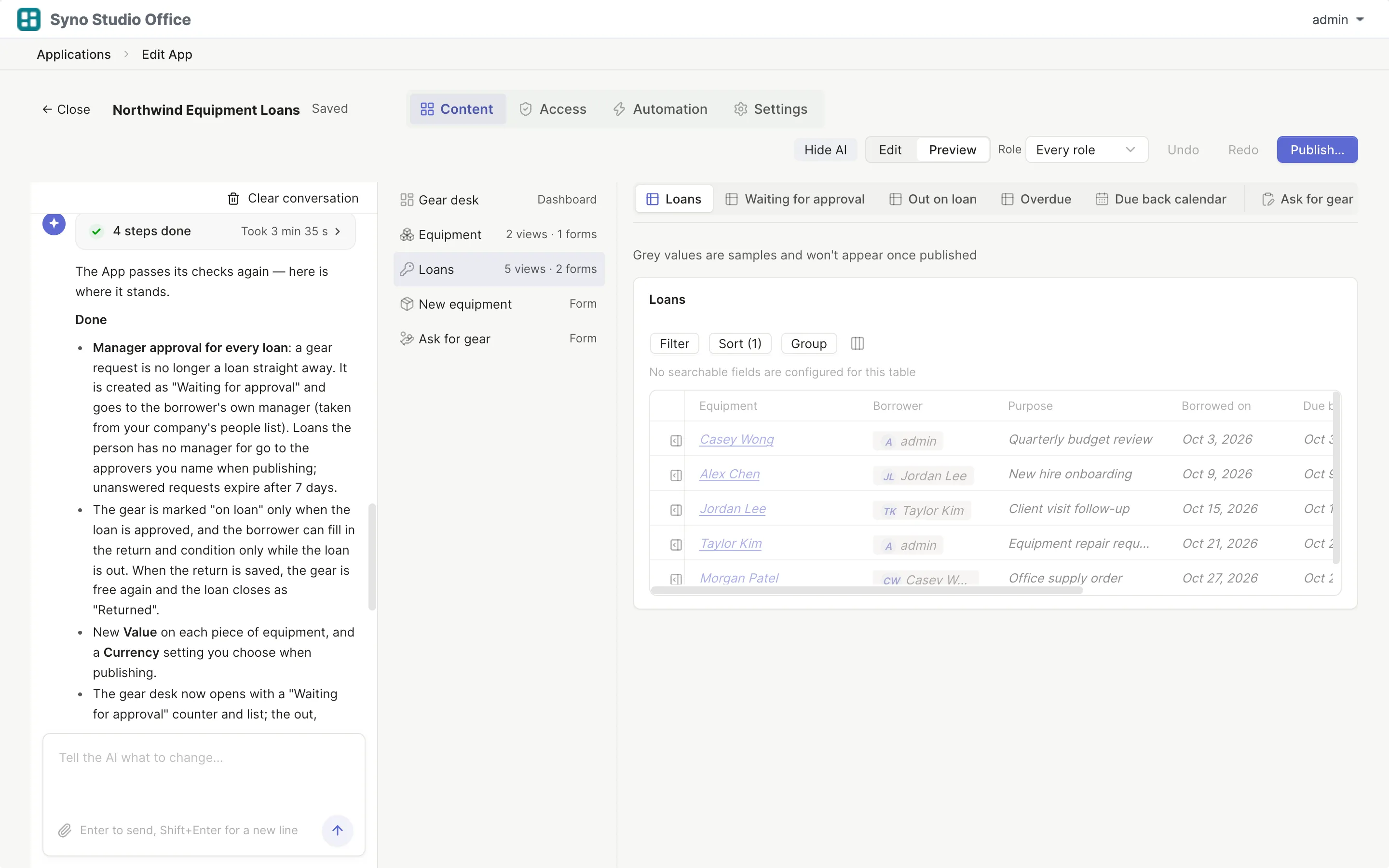
Ask while you edit
"Add a manager approval" and the AI makes it and lists what changed
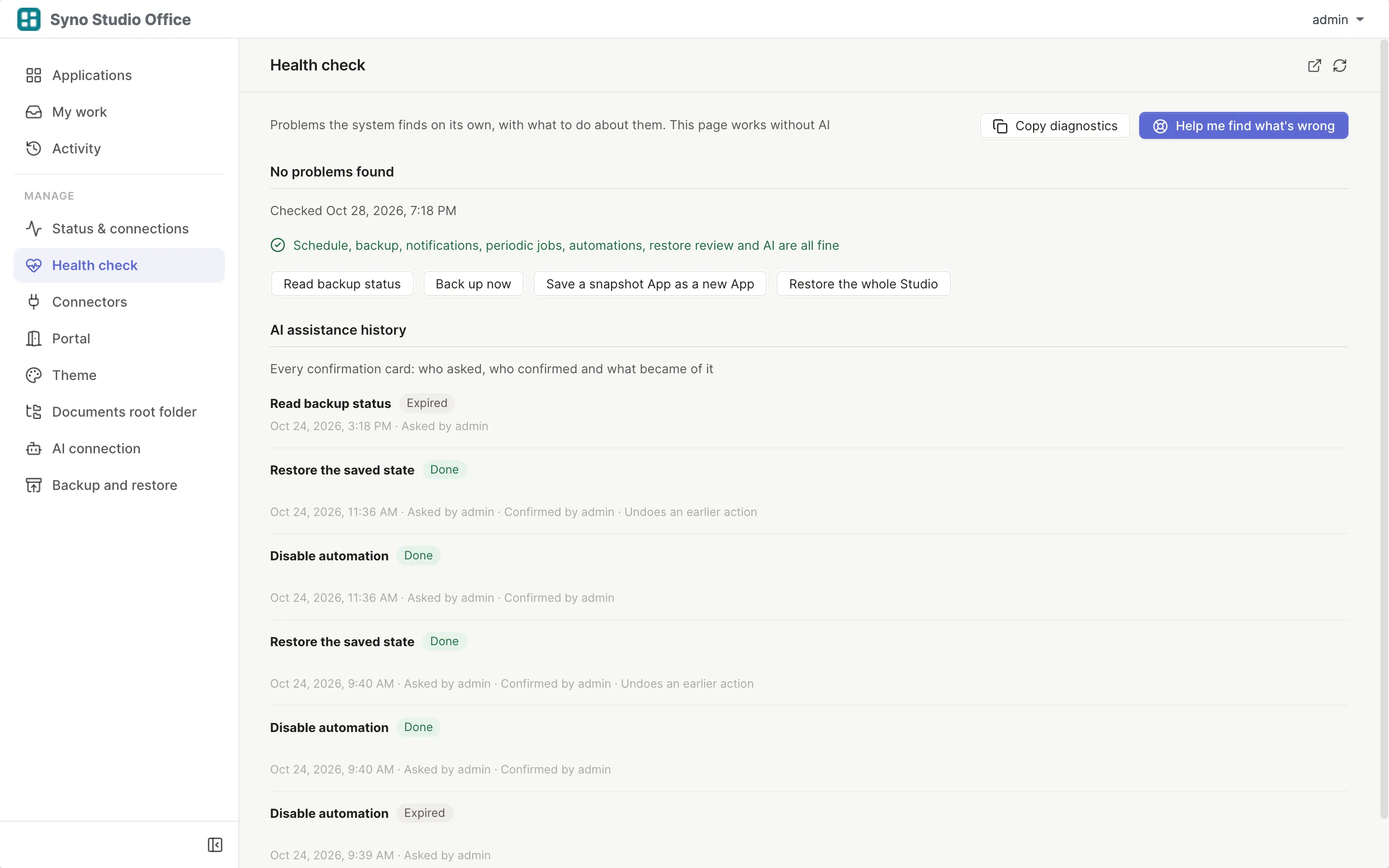
Finds the cause when something breaks
AI reads the system status and records; you confirm every fix
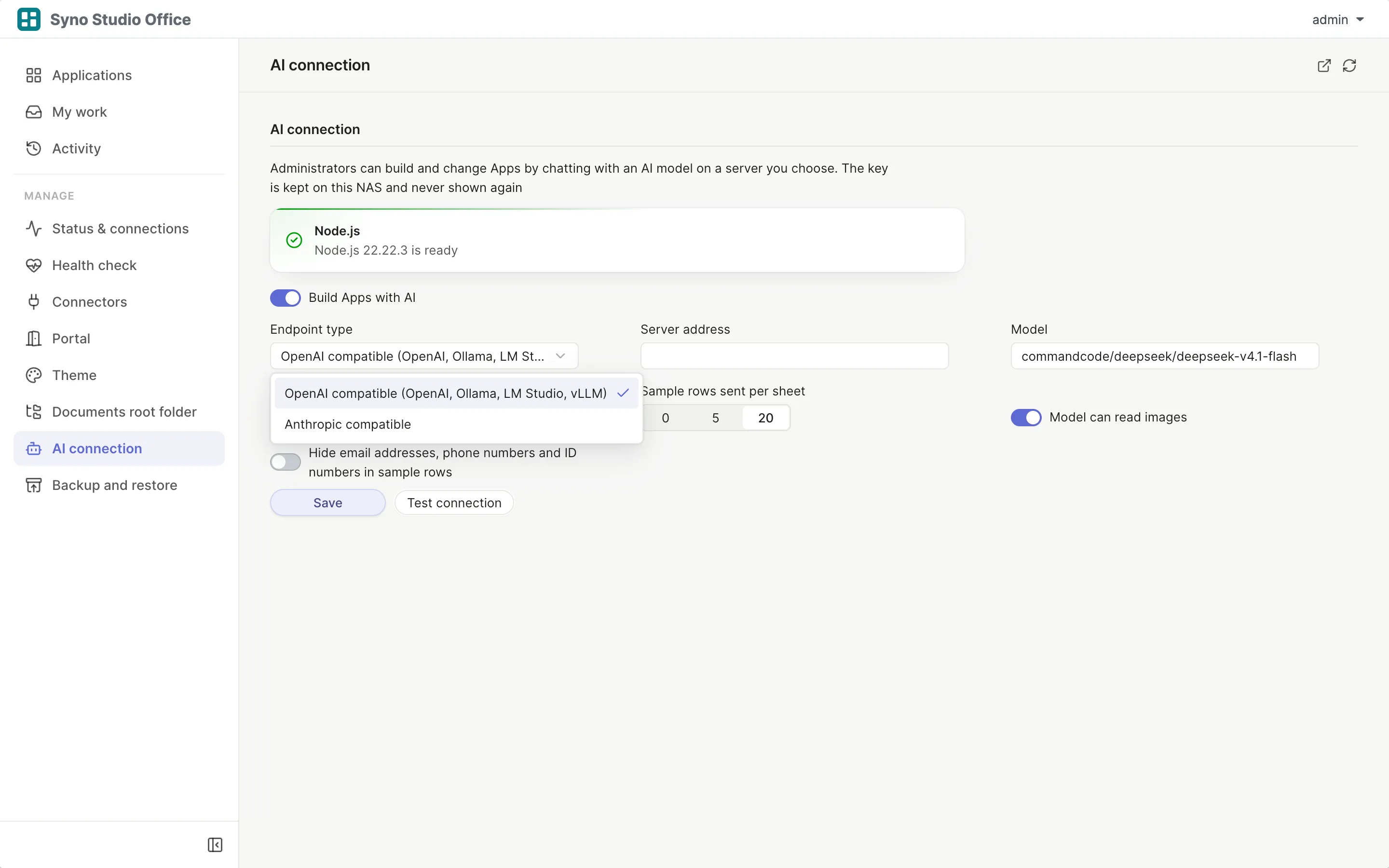
Bring your own AI
No AI vendor lock-in and no extra AI fee from Syno Studio Office
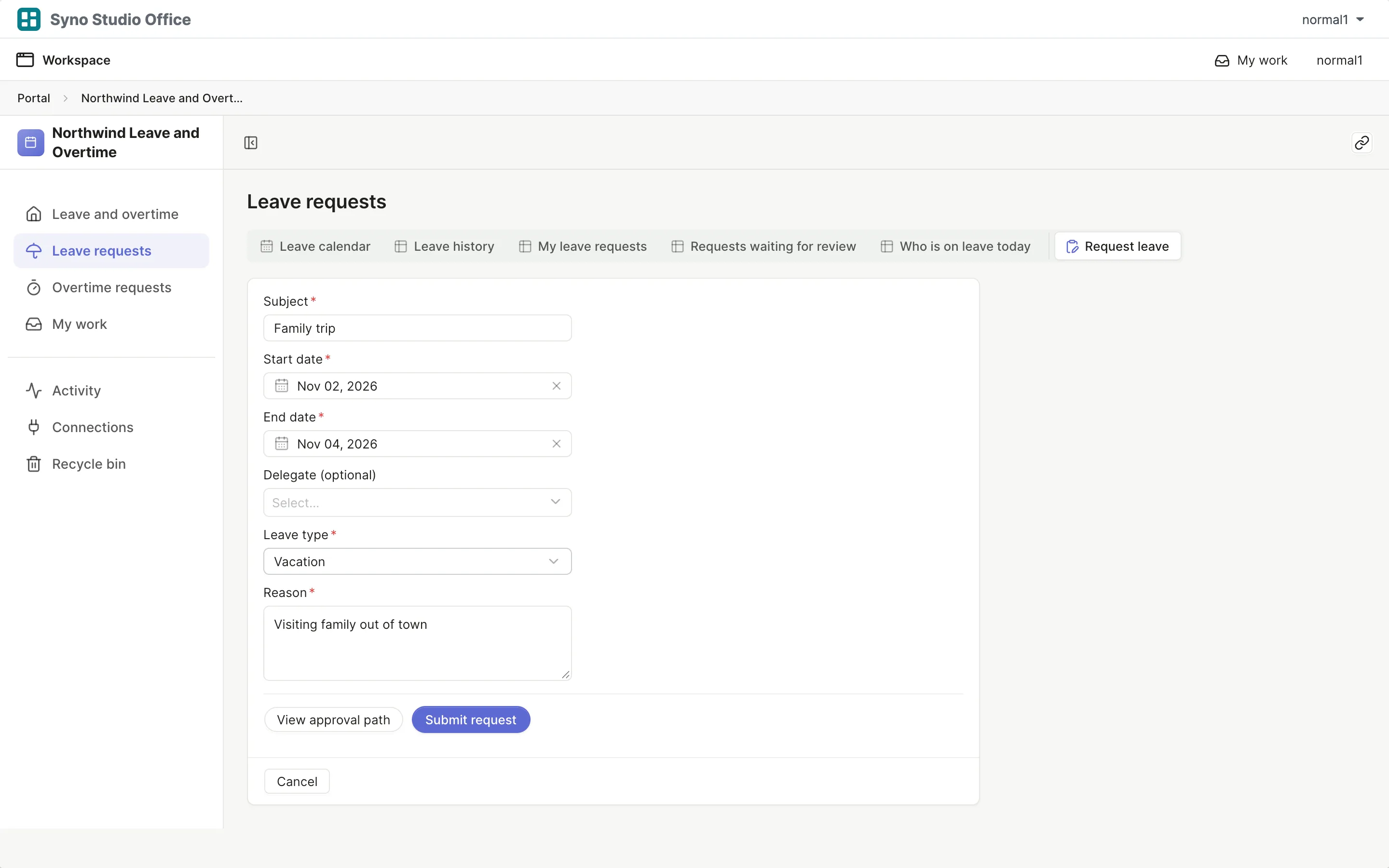
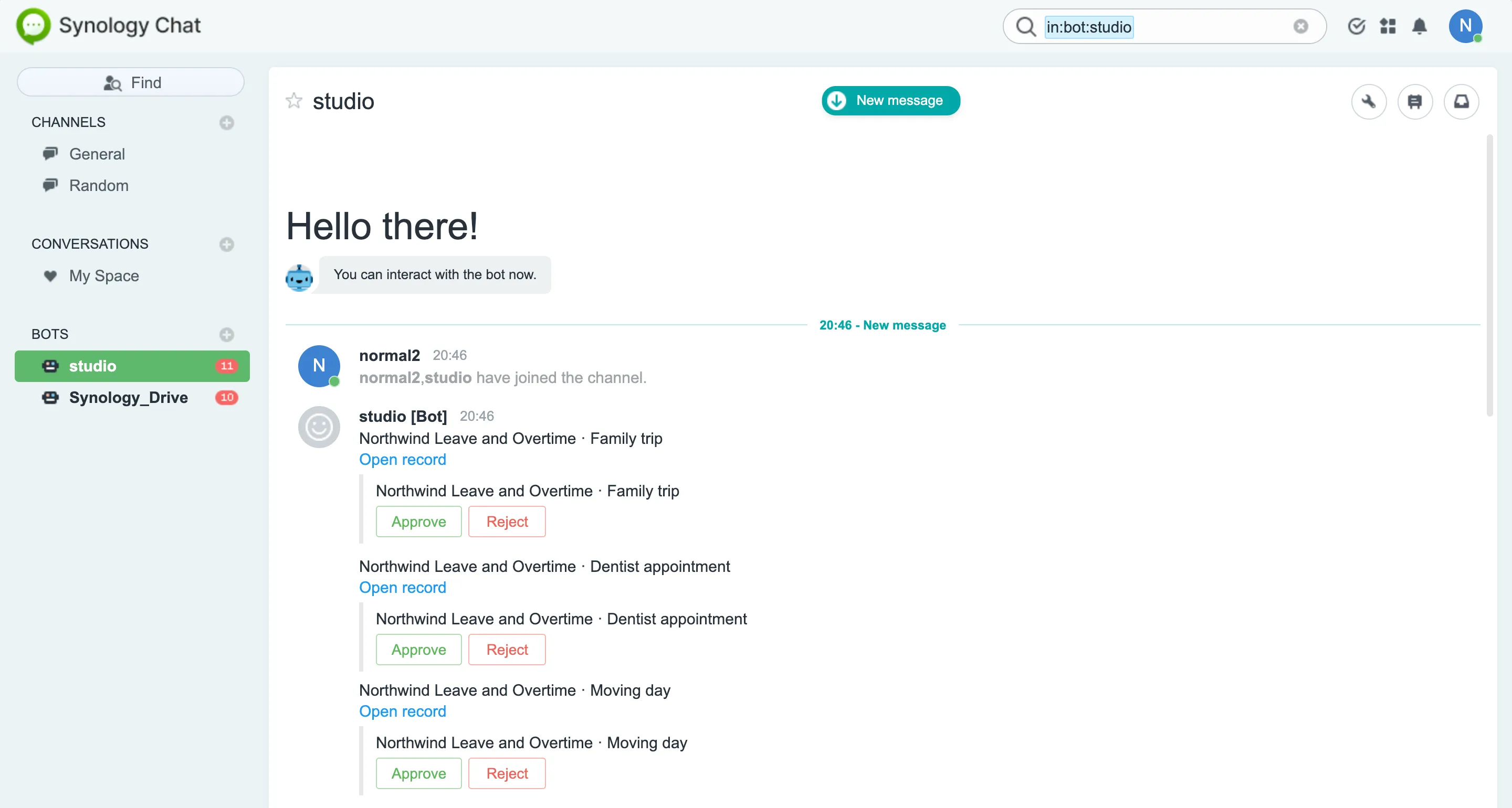
One leave request, start to finish
43 templates, ready once installed
See all templatesBusiness trips
Applicants request trips and managers approve them
Leave, quotas and clock-in (advanced)
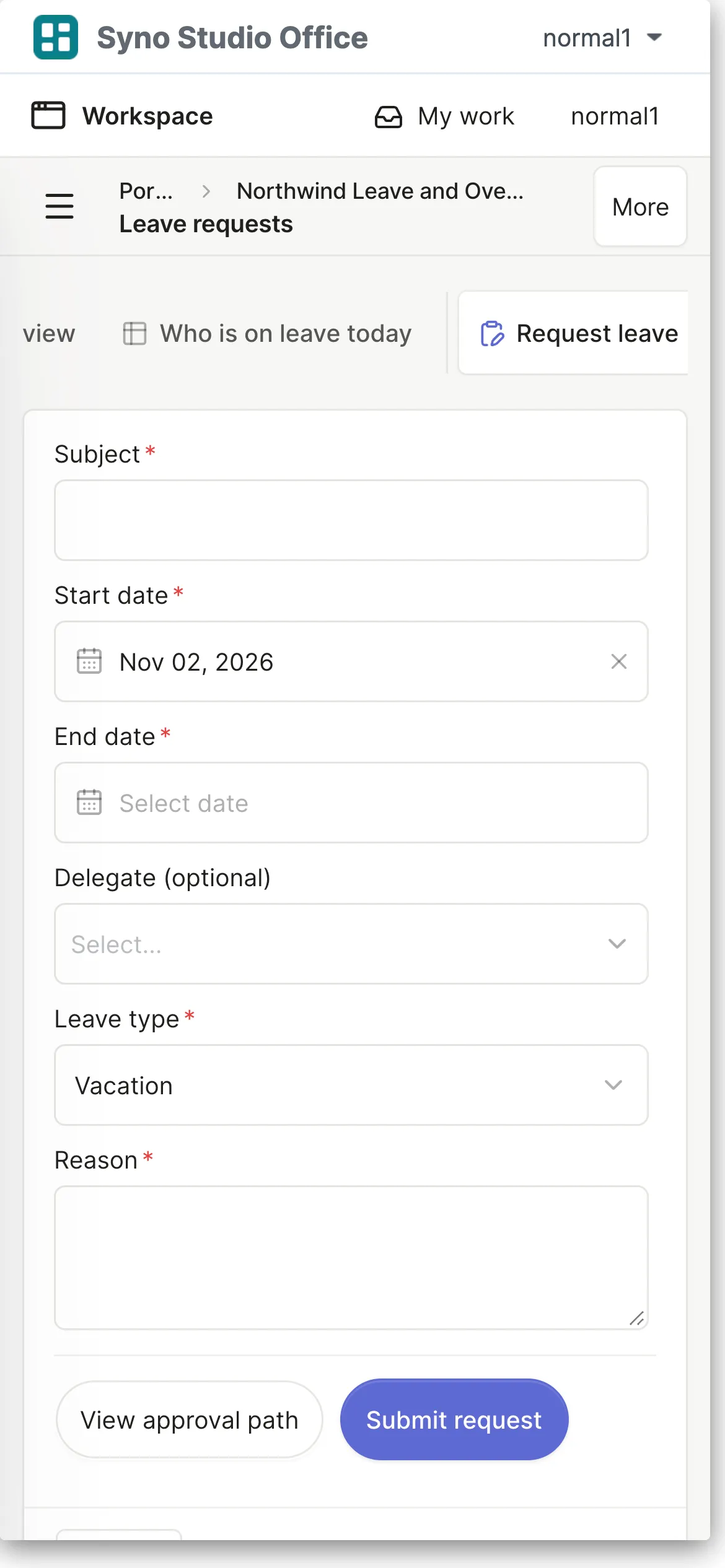
Role-specific leave, allowances and web clock-in with holidays and adjusted working days
Leave and overtime
Employees request leave and overtime from their home, managers approve in My work, and app managers see the leave overview
Department budgets
Submit budgets, review approvals and track your requests from home
Expense reimbursement
Submit expenses and track your requests from home
Invoices
Register receivable and payable invoices with scans, track overdue receivables on the overview, and find all invoices and the payment calendar in the invoice tabs
Purchase requests
Submit and track your own purchases from home
Announcements and policies
Read announcements, confirm reading and find documents due for review from one overview
Facility repairs
Anyone reports a fault with photos
Asset register and loans
See overdue loans at a glance, log equipment loans and track company assets and keepers
General approvals and seals
Applicants submit requests, managers approve them, and administration tracks approved requests due within 7 days from its document-handling desk
IT access requests
Applicants request access, managers approve, and IT provisions it from a desk showing access expiring within 7 days
Resource booking
Book meeting rooms, equipment and vehicles by time slot
Seats and equipment
Put seats and equipment on each floor plan, colored by in use, vacant or under repair
Supplies requests
Employees request supplies and track their own requests from home
Onboarding and offboarding
Handlers see assigned items and deadlines within 7 days in My onboarding tasks, managers approve requests, and HR tracks onboarding and offboarding progress
Recruiting
Manage openings and candidates, see my interviews today and in the next 7 days on the overview, and use table tabs for lists, the pipeline and the interview calendar
Content calendar
Track my content and releases within 7 days, with list, board and calendar tabs in one shared table
Contracts
Manage contracts and payments, see agreements ending in 90 days on the overview, and automatically calculate received and outstanding amounts
Customers and deals
See my open deals, contacts due today and deals closing in 30 days
Daily sales report
Submit sales reports and check the stores I reported today, with list and calendar tabs in one table
Marketing campaigns
Propose campaigns and track your requests from home
Media and partners
Manage contacts and interactions, with my contacts and follow-ups due today on the overview
Quotes
Create quotes and track your requests from home
Tasks and issues
See my open, overdue and upcoming tasks and requests, with shared table, board and calendar tabs
OKR tracking
Update my open key results, then explore objectives, key results and the team overview
Projects and milestones
Track my milestones and deadlines within 7 days, with one entry for shared projects and milestones
Team weekly report
Write and review my weekly reports, recent reports and requests for team help
Weekly meeting
Track my action items and overdue work, with meetings, boards and calendars in their table tabs
Timesheets
Log time and review my last 7 and 30 days, with date ranges for weekly and monthly analysis
Inventory in and out
Record goods received and shipped
Support tickets
Track customer questions, returns, exchanges, repairs and refunds in one place, assign handlers and remind them on the due day, with a progress board, ticket counts by type and refund totals
Inspections and fixes
Log inspections and track my open and overdue corrective actions, with board and deadline calendar tabs
Shelf life
Start with batches expiring within 30 days and unhandled expired stock
Suppliers
Supplier directory and delivery ratings, with contracts ending in 30 days on the overview
Architecture projects and drawings
Manage architectural projects, drawing revisions, RFIs, material submittals and site issues
Bookkeeping firm
Monthly periods, document requests, manual receipt checks and client PDF review
Brand design studio
Brand design cases from brief, quotes and materials to internal drafts, client proofs and delivery
Field service
Repair jobs from report to dispatch, on-site photos, labor hours and parts (stock is deducted and low stock is flagged), client sign-off and billing, plus quotes and change orders
Interior design projects
Manage interior design projects, rooms, materials, quotes, changes, purchases and inspections
Law firm matters
Request client signatures on engagement agreements and keep signed PDFs
Photo delivery
Bookings by start and end time that may not overlap (cancelled ones free their time), client questionnaires, JPEG/PNG batch upload and picking, and proof approval marking a case ready for final files
Video production & sponsorships
Sponsorships, shots, assets, license reminders, timecoded brand reviews and approved publication links
Architecture projects and drawings, Bookkeeping firm, Business trips, Content calendar, Contracts, Customers and deals, Daily sales report, Department budgets, Brand design studio, Announcements and policies, Expense reimbursement, Facility repairs, Field service, Asset register and loans, General approvals and seals, Interior design projects, Inventory in and out, Invoices, IT access requests, Law firm matters, Leave, quotas and clock-in (advanced), Leave and overtime, Tasks and issues, Support tickets, Marketing campaigns, Media and partners, OKR tracking, Onboarding and offboarding, Photo delivery, Projects and milestones, Purchase requests, Quotes, Recruiting, Resource booking, Inspections and fixes, Seats and equipment, Shelf life, Suppliers, Supplies requests, Team weekly report, Video production & sponsorships, Weekly meeting, Timesheets
Work with your clients
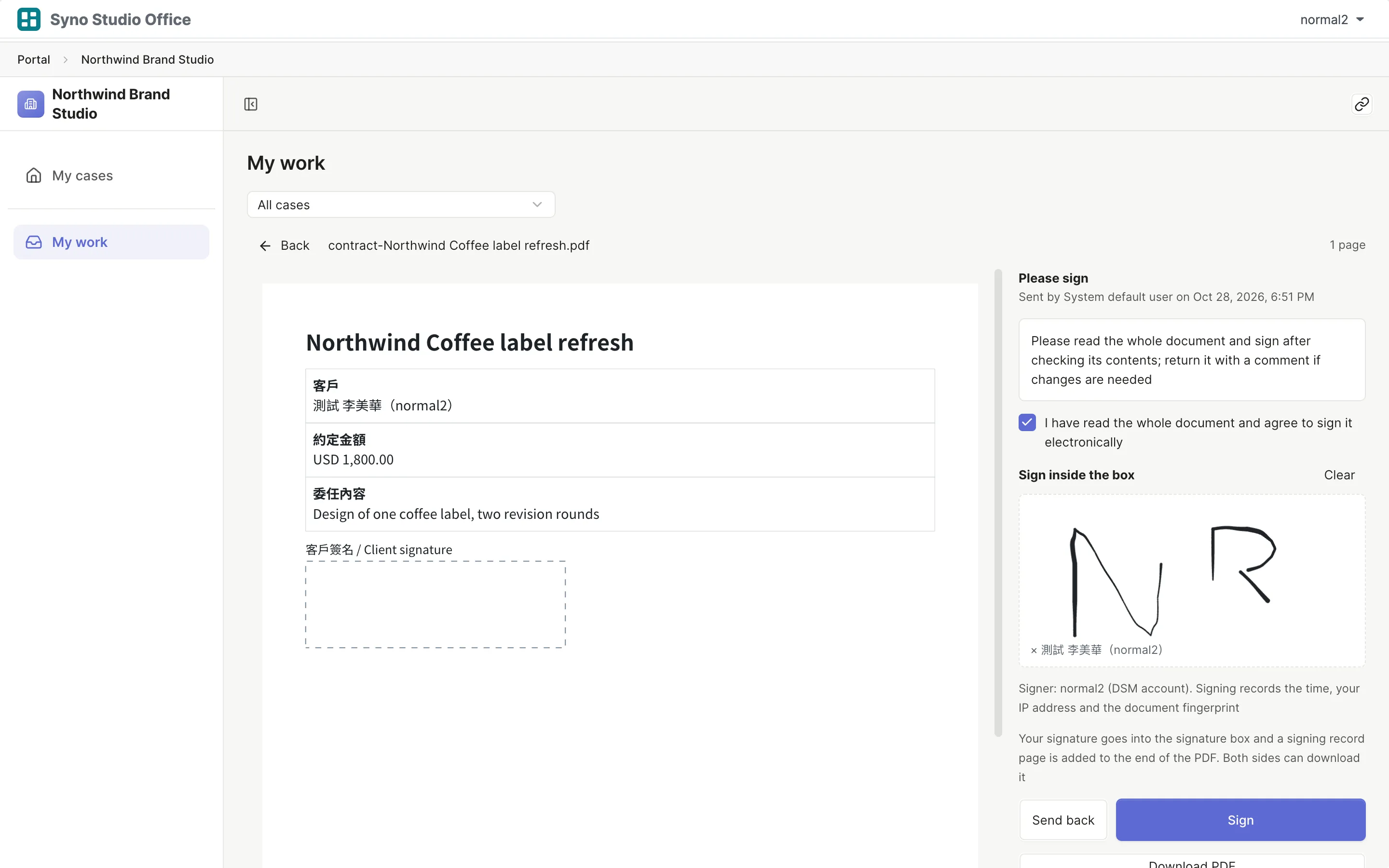
- Clients see which documents they still owe
- Click a proof to comment on a spot, or comment on a moment in a video
- Agreements are signed by hand on the web page
Learn more
Clients need an account on your company NAS, in a client group
Each client sees only their own cases
Your data stays in your office
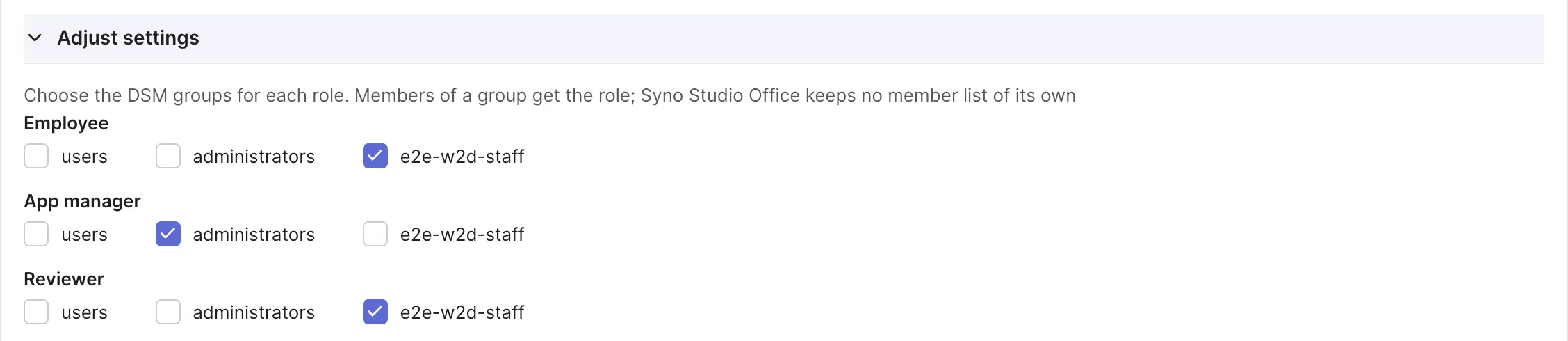
- Sign in with the NAS accounts you already have
- Every record keeps its history
- Automatic snapshots and exports at any time
Questions
What do I need?
A Synology NAS with DSM 7.2 or later; your team opens it in a web browser
Do I need to code?
No, start from a template and change it by clicking or by describing what you want
How does my team sign in?
With the accounts already on your company NAS, with roles matched to DSM groups
Does it work on phones?
Yes, in the phone's browser, where tables become cards; there is no separate app and no offline mode
Can I move over from Excel?
Import CSV or XLSX files, with a preview and column matching before anything is saved
Does AI cost extra?
Syno Studio Office charges no AI fee; you connect your own AI service and its own terms apply, or use a model on your company network
When is it not a fit?
For example online shops, public websites that need search traffic and taking payments, see the full list