

Files, reviews and signatures in one place
Clients sign in and see their own case, no more emails back and forth
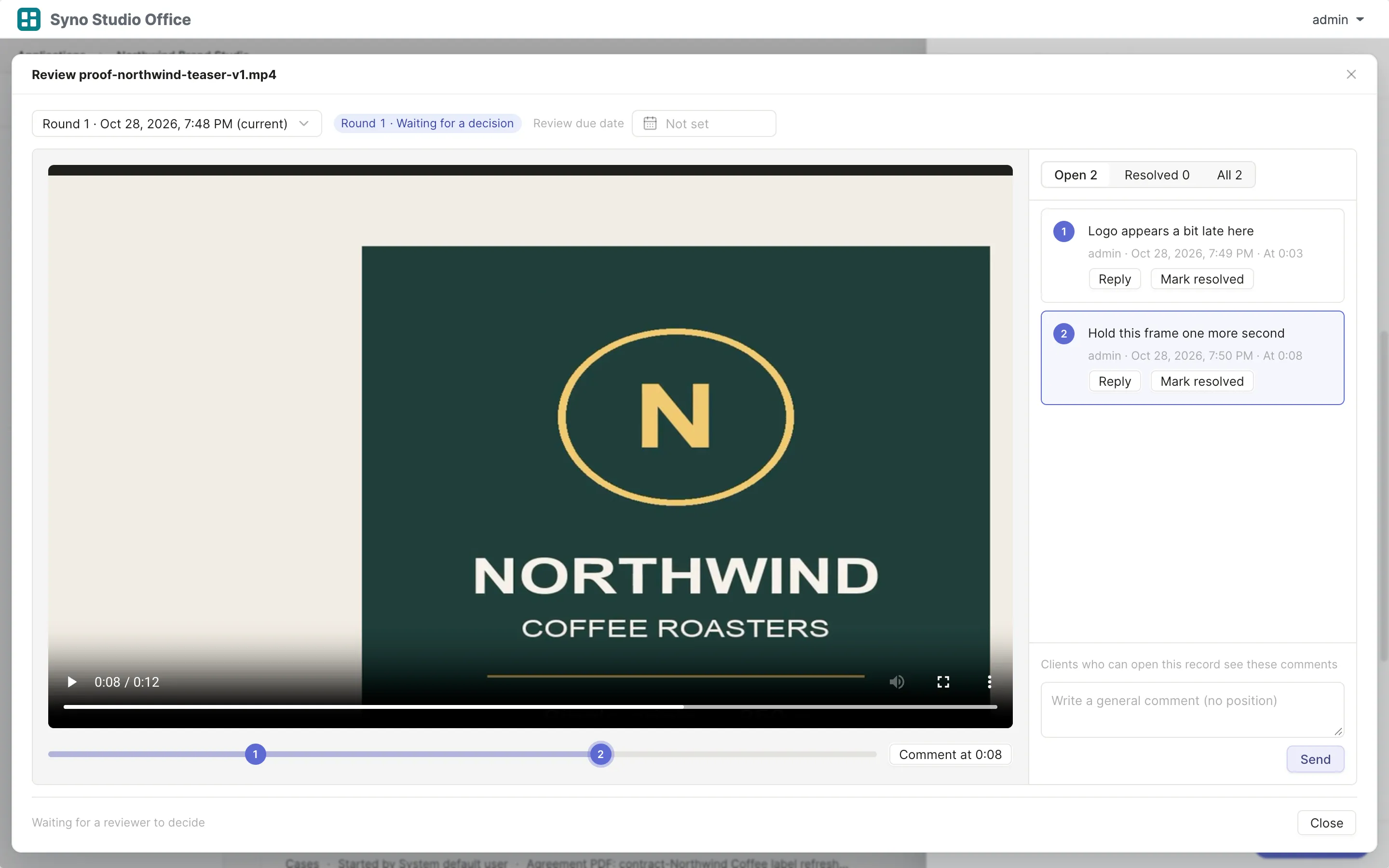
Ask clients for documents
Clients see exactly what is still missing
- Mark each item received, returned or waived
- People without an account can hand in files through an upload link
Learn more
Upload links use Drive file requests and expire within 30 days
An upload link takes files only, not form answers
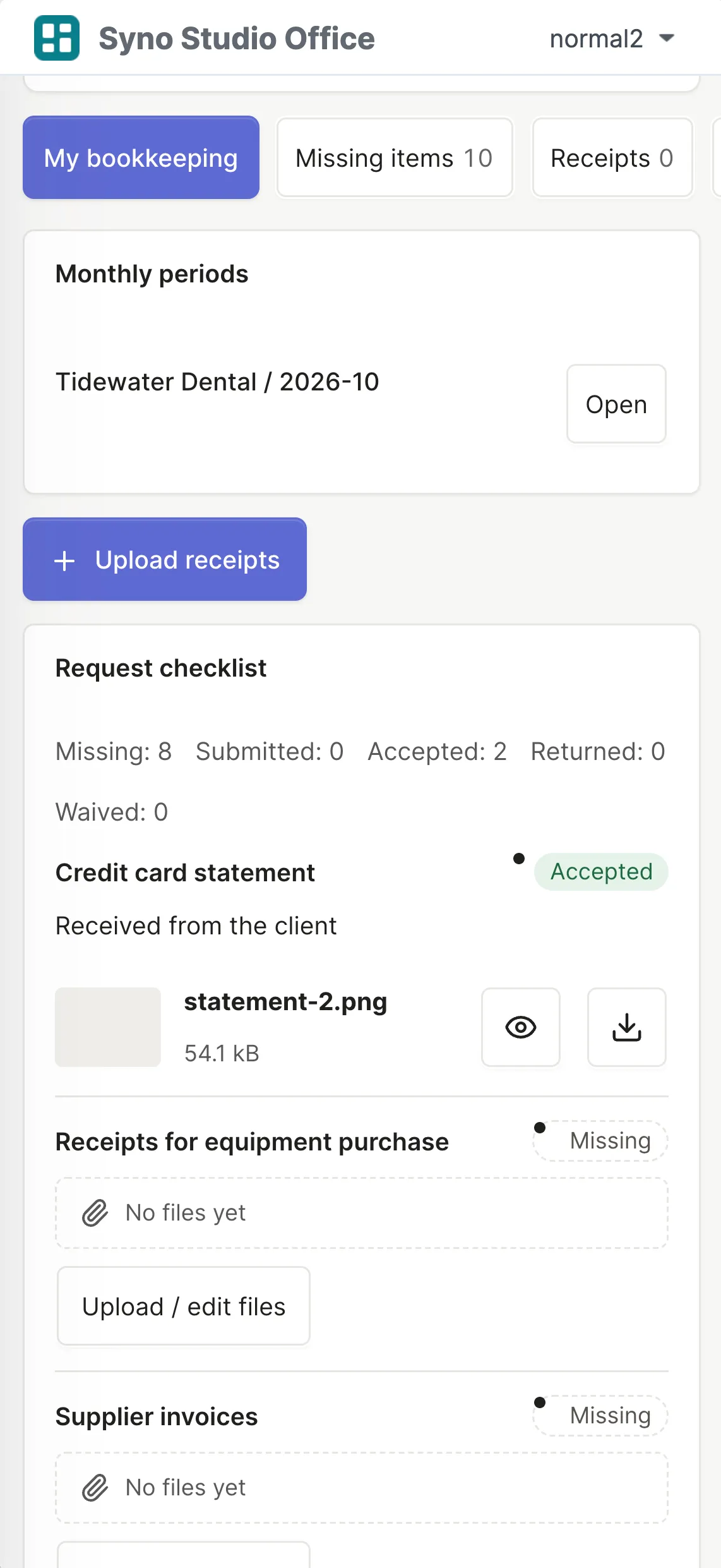
Reviews
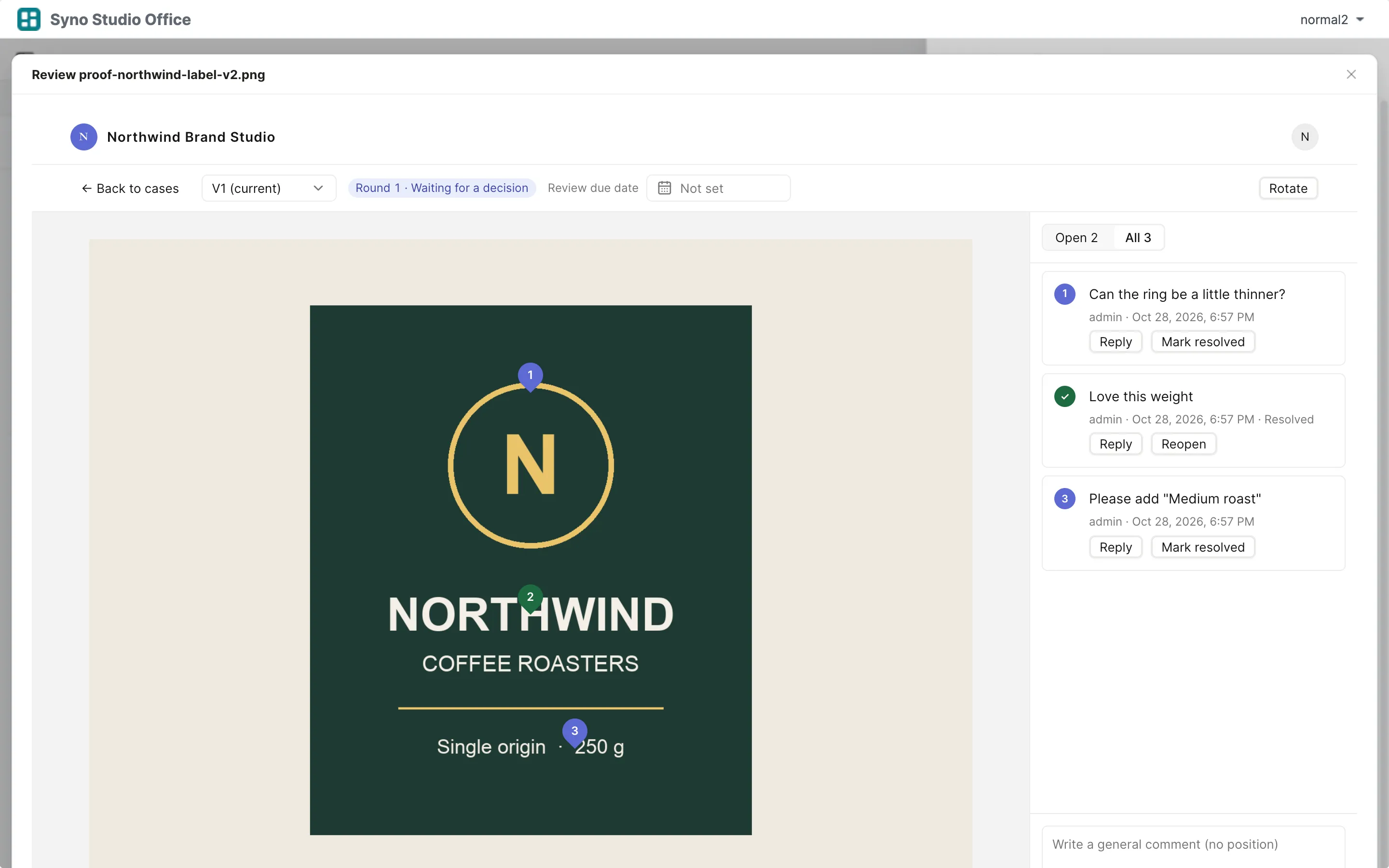
Click to comment
Pin numbered comments on images and on every PDF page
Video timecode comments
Click a marker on the timeline to jump to that second
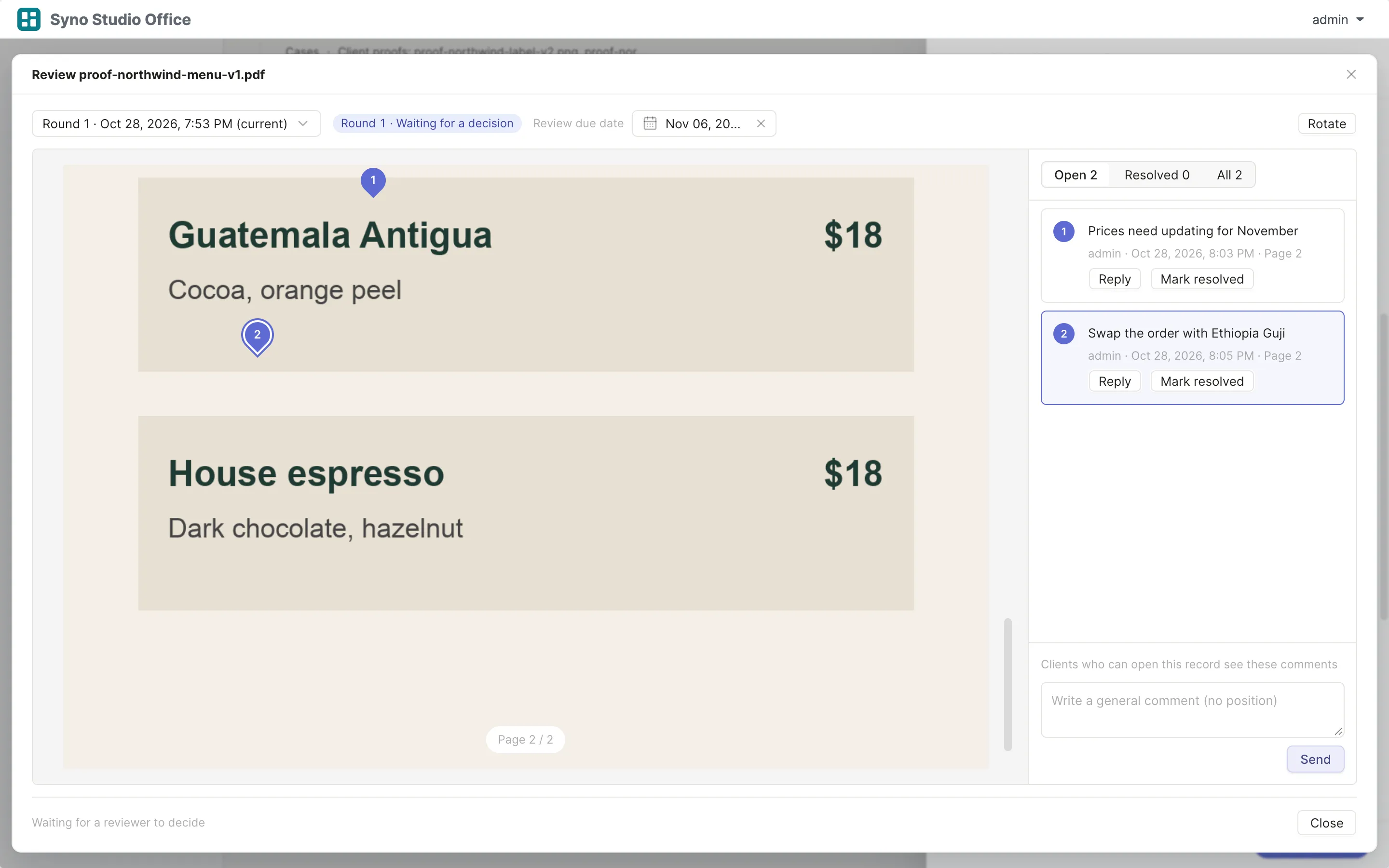
Review rounds
Approve or request changes before a due date
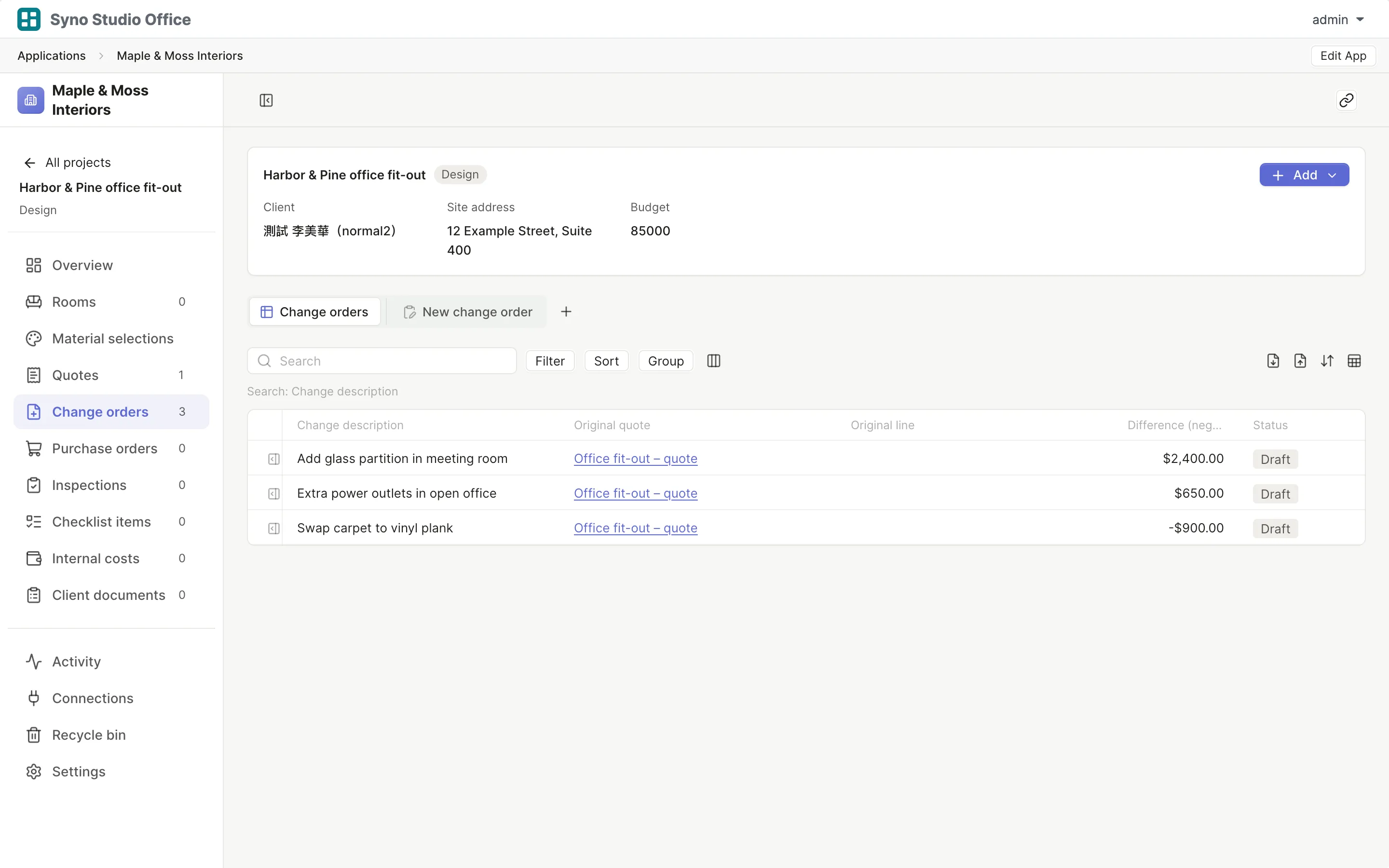
The whole case on one page
Proofs, requests and signing
Every round keeps its version
- Each round is tied to that version of the file in Drive
- Reply to comments, mark them resolved, reopen them
- Approved files are saved to Drive
Learn more
Shapes and freehand work on images and PDFs, videos take timecode comments
Comparing versions is read-only and not every format has every mode
Videos need to be MP4 (H.264)
Let clients pick their photos
Clients tick photos in a gallery, with a limit and a due date if you want
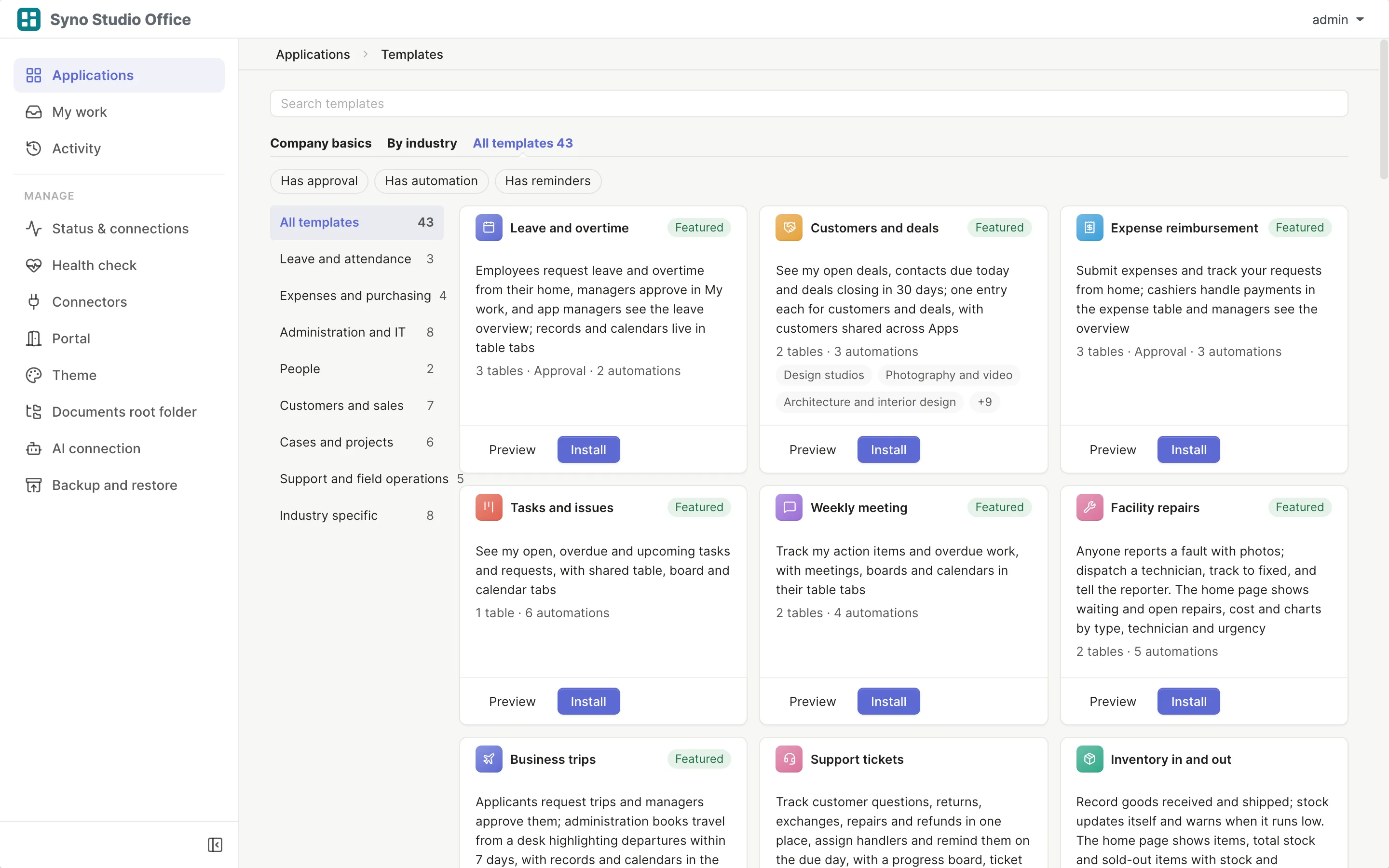
Sign on the web
Clients draw their signature and the PDF ends with a signing record
- Time, account and a content hash are recorded
- The signed PDF stays with the case
Learn more
This is a handwritten signature with a signing record, not a certificate-based digital signature
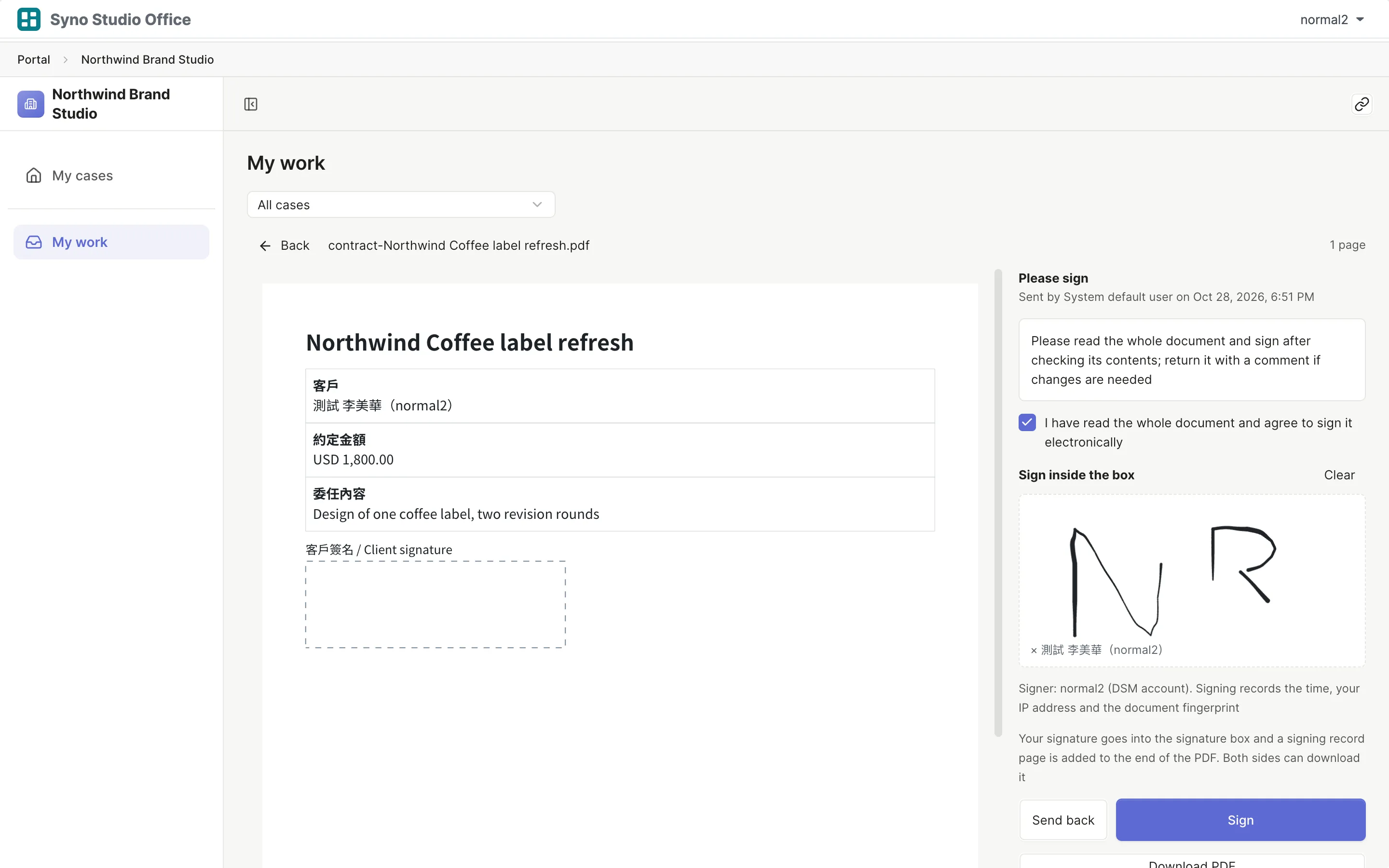
Clients see only their own
- Clients sign in with an account on your company NAS
- Internal drafts, costs and working papers stay with the team
Learn more
Clients need an account on your company NAS in the client group
Questions
Do clients need an account
Yes, clients sign in with an account on your company NAS, only upload links for handing in files work without one
Can clients see other clients
No, each client sees only their own cases
Is the signature legally binding
It is a handwritten signature with a signing record, not a certificate-based digital signature, so judge whether it suits your use
Can clients use a phone
Yes, in the phone browser
Where are the files kept
In a Team Folder on your company NAS with one folder per case
Which video format works
MP4 (H.264)
Can I compare versions side by side
Yes, images side by side, overlaid, with a slider or a difference view, PDFs side by side or overlaid and videos side by side