

Say what you need, get the app
AI plans the tables, pages, permissions and steps, and you check it before publishing
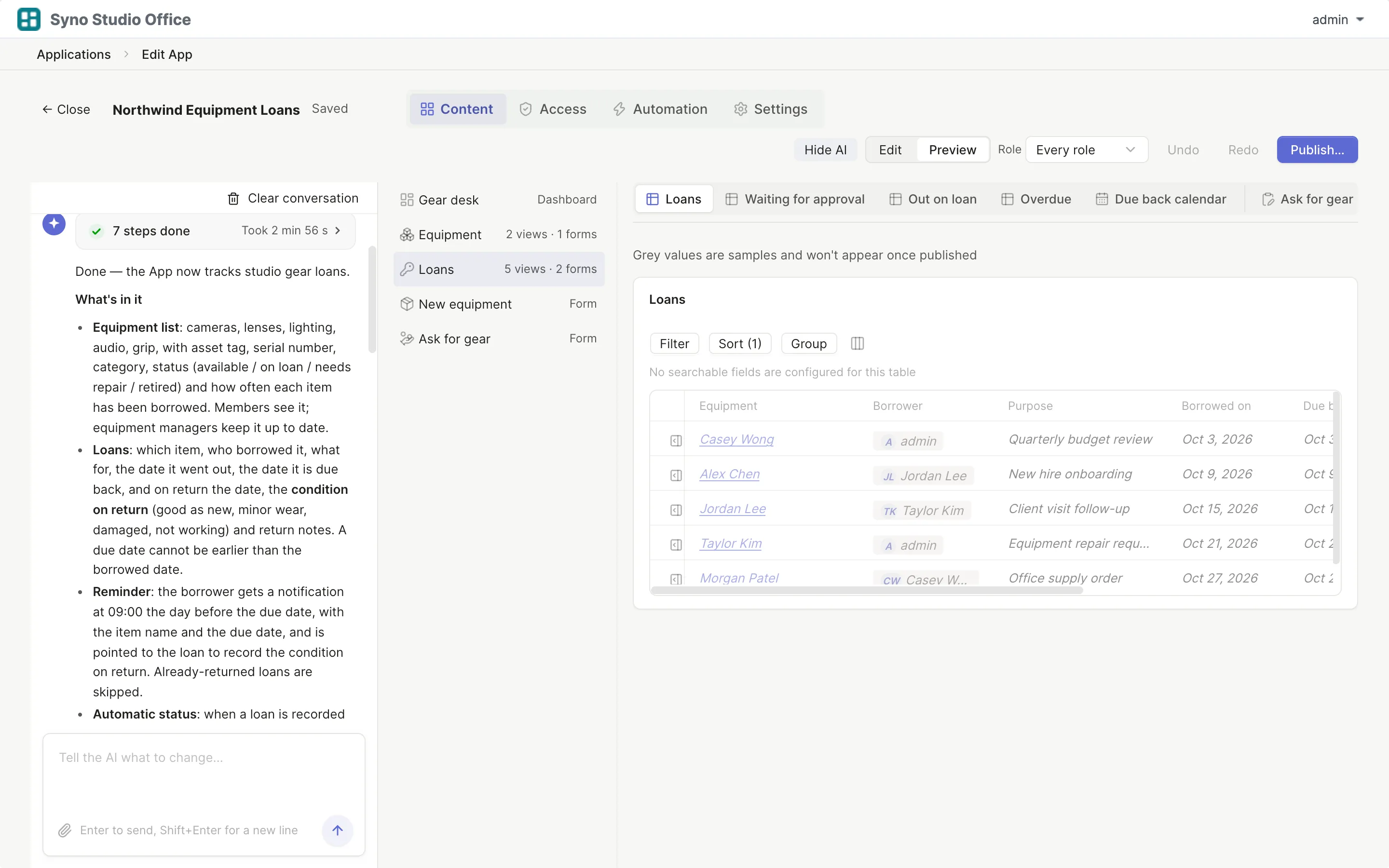
Start with one sentence
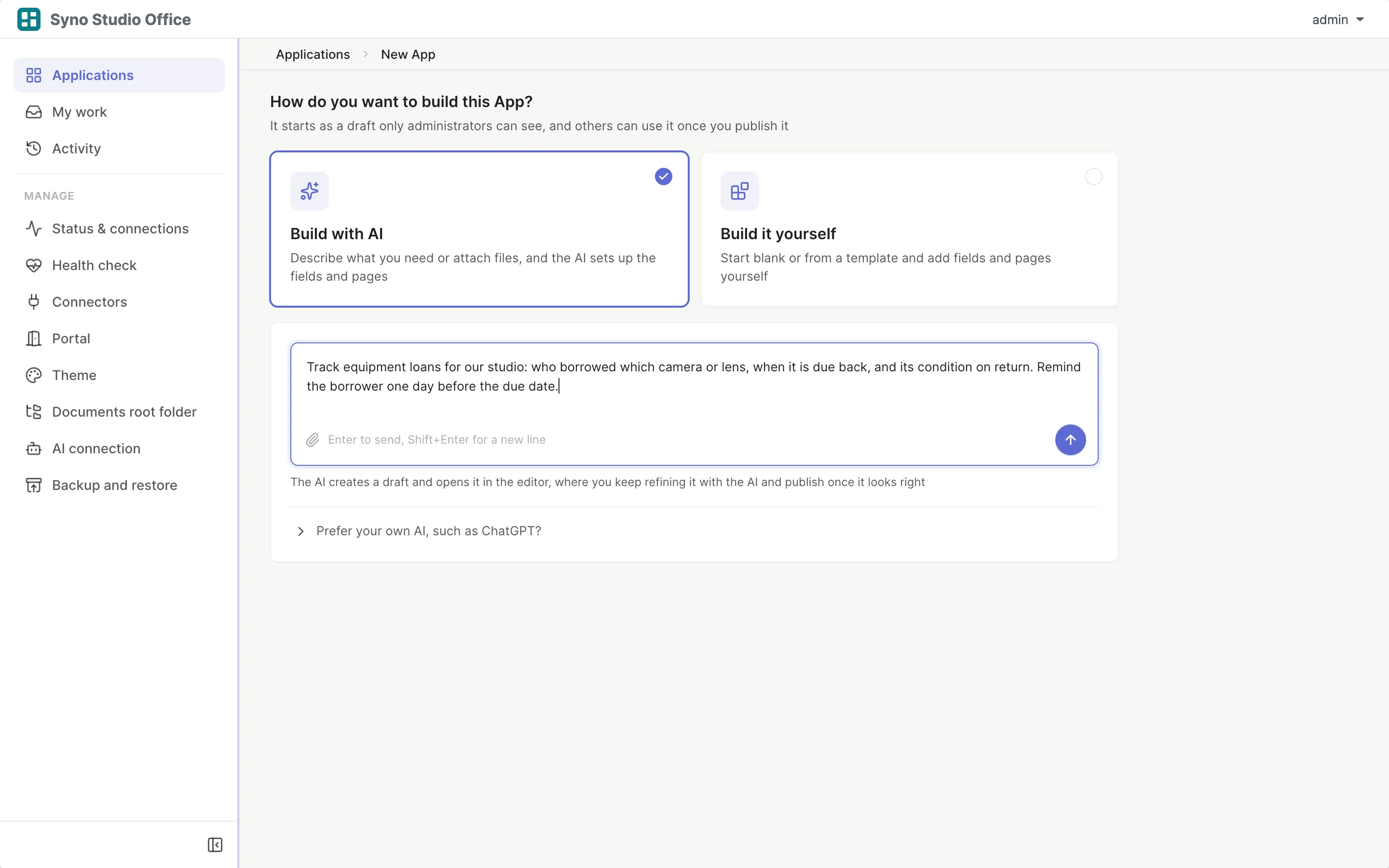
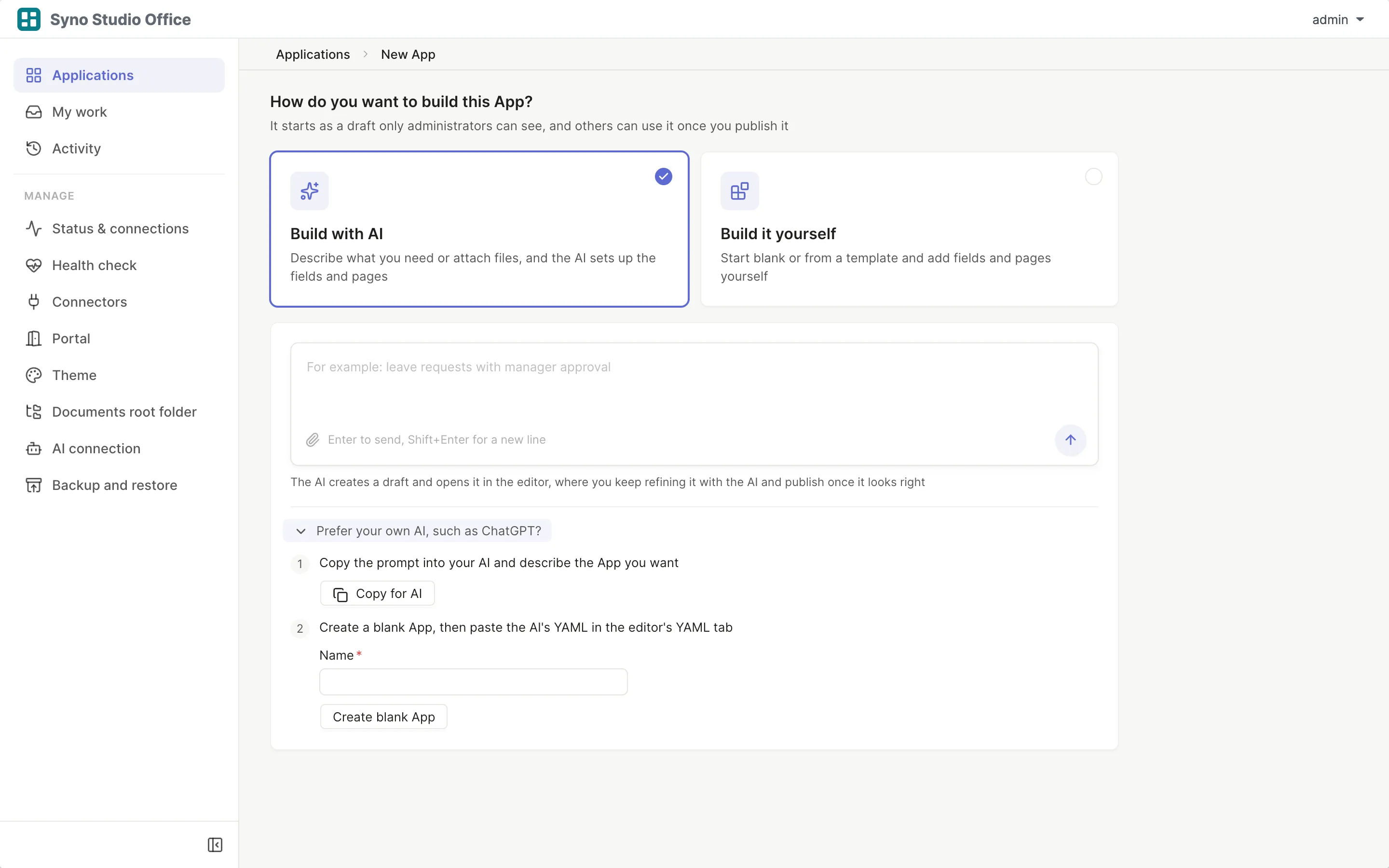
Start from a sentence or a file
Attach the Excel sheet, PDF or screenshot you use today
Understand, plan, change, check
You see every step
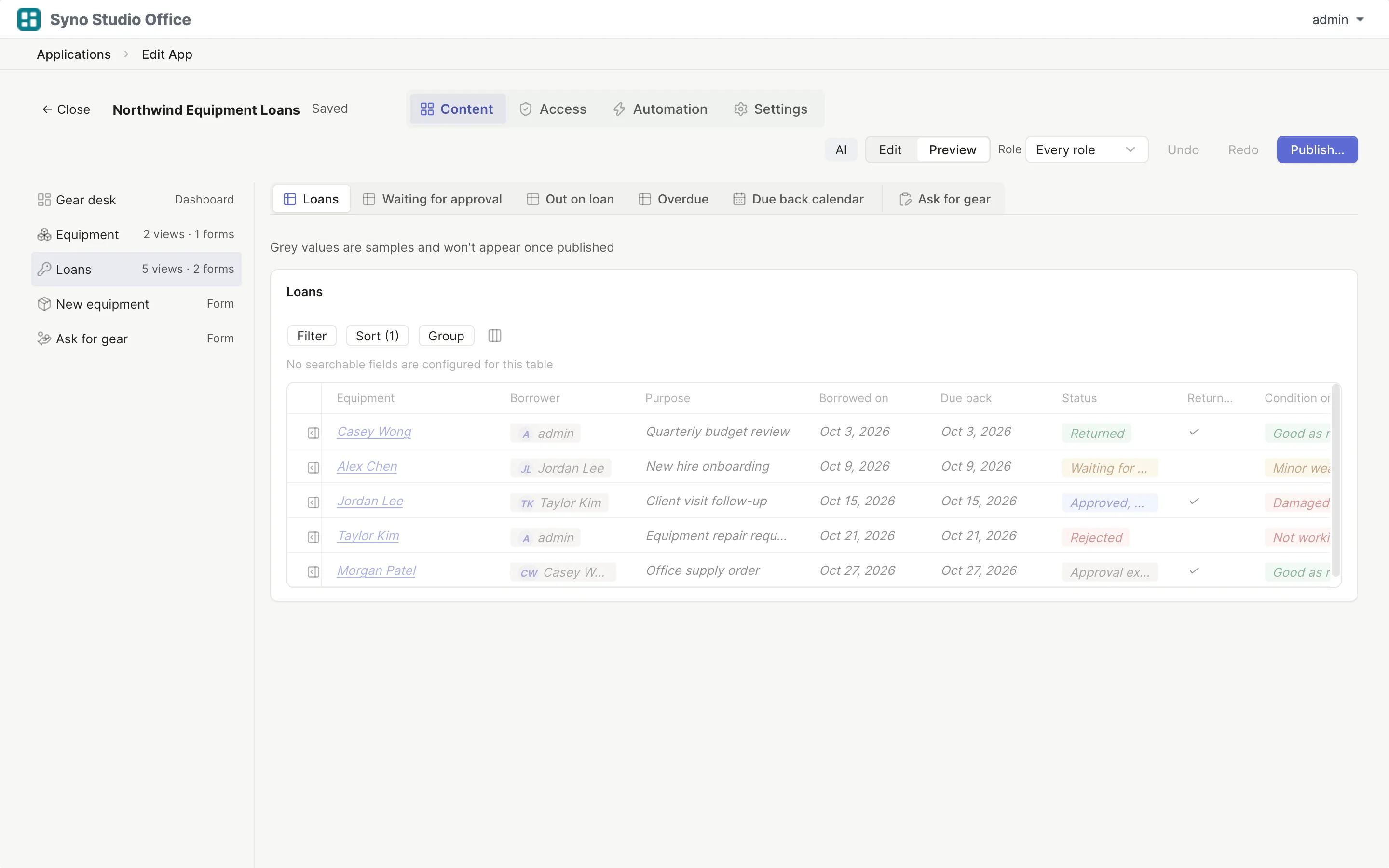
Open the finished app
Edit it like one you built yourself
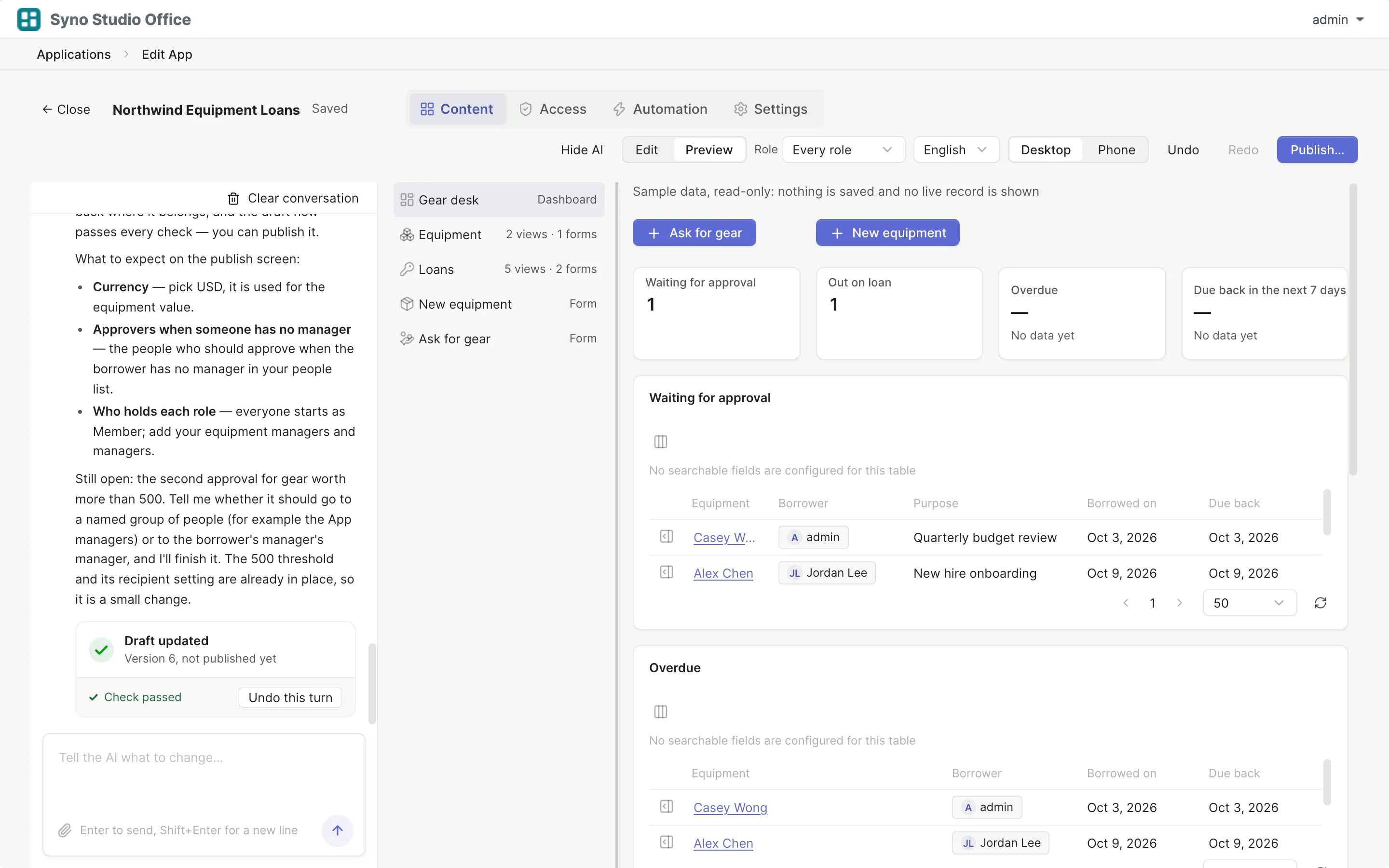
Fixes its own errors
Ask AI to fix a failed publish check
Drafts only, you decide when it goes live
- Checks its own settings and fixes them
- Looks at the desktop and phone layouts
- Undo this round, any round
- Publishing is your call
Ask AI while you edit
“Add a manager approval” and AI makes the change, then lists what it changed
- AI fills in missing translations and marks them AI
- Give the theme assistant a reference image and it picks the colours
Learn more
AI translations are marked so you can check and edit each one
The theme assistant only changes a theme draft you can preview first
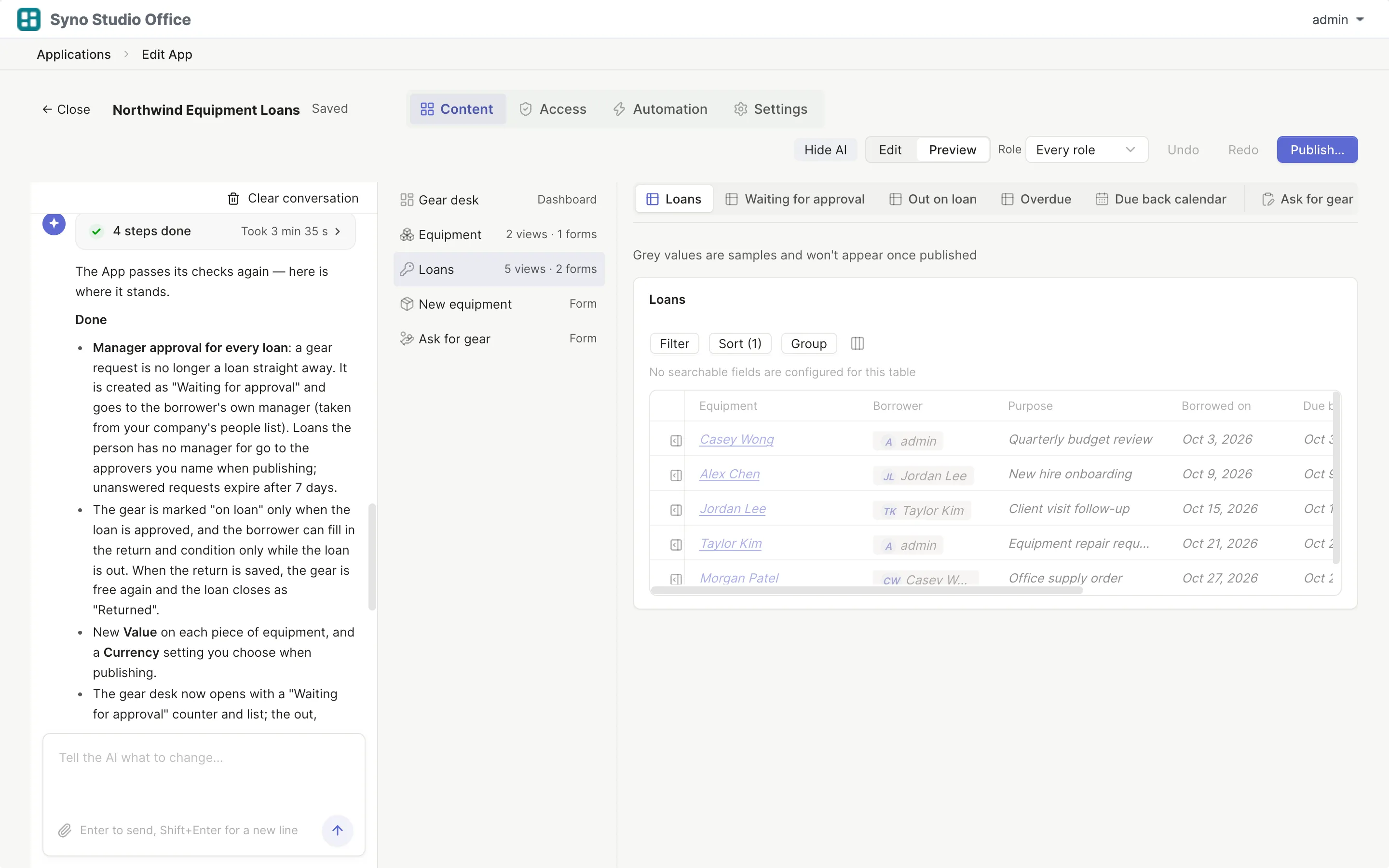
AI in the editor
A list of what changed
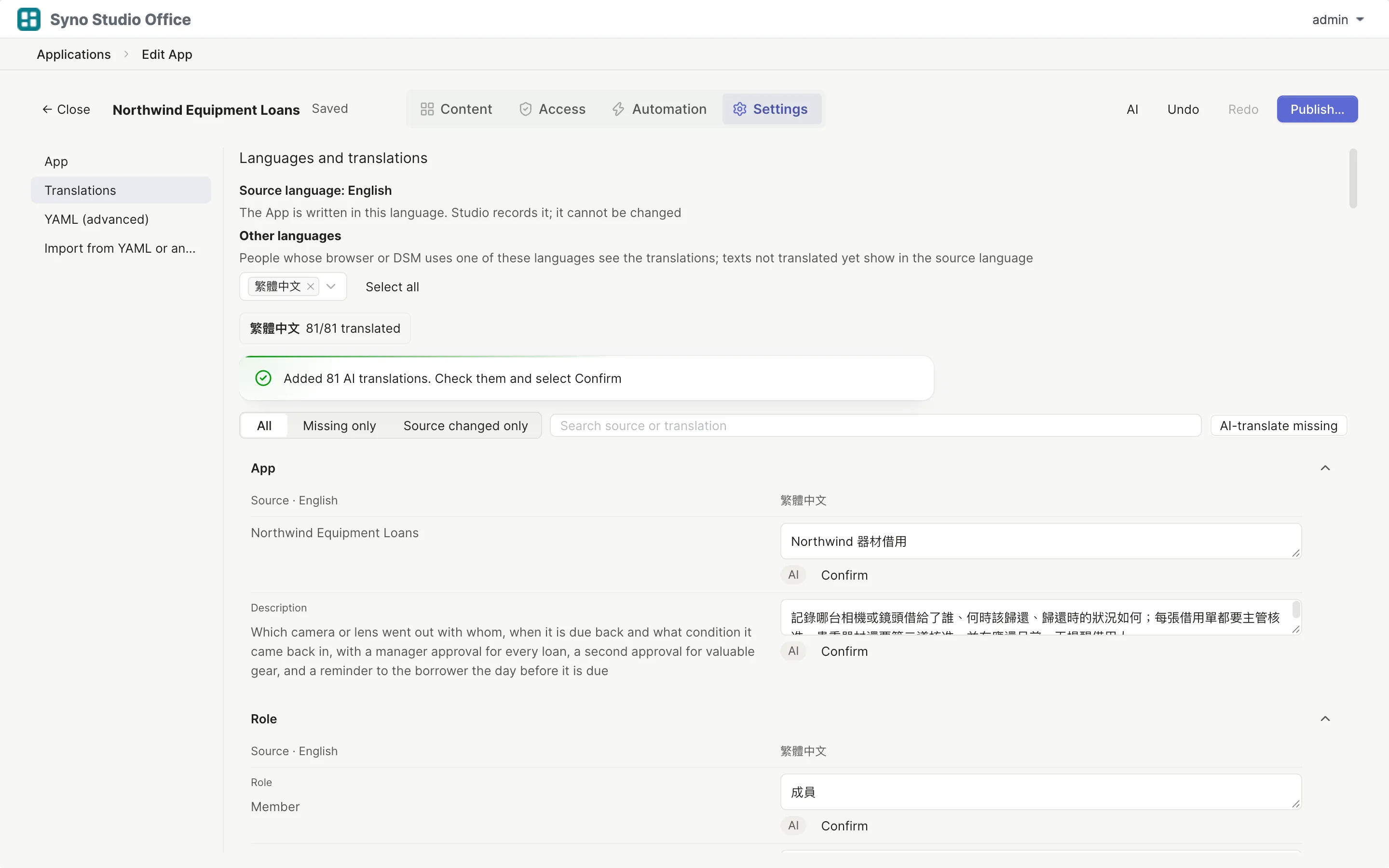
Translations added by AI
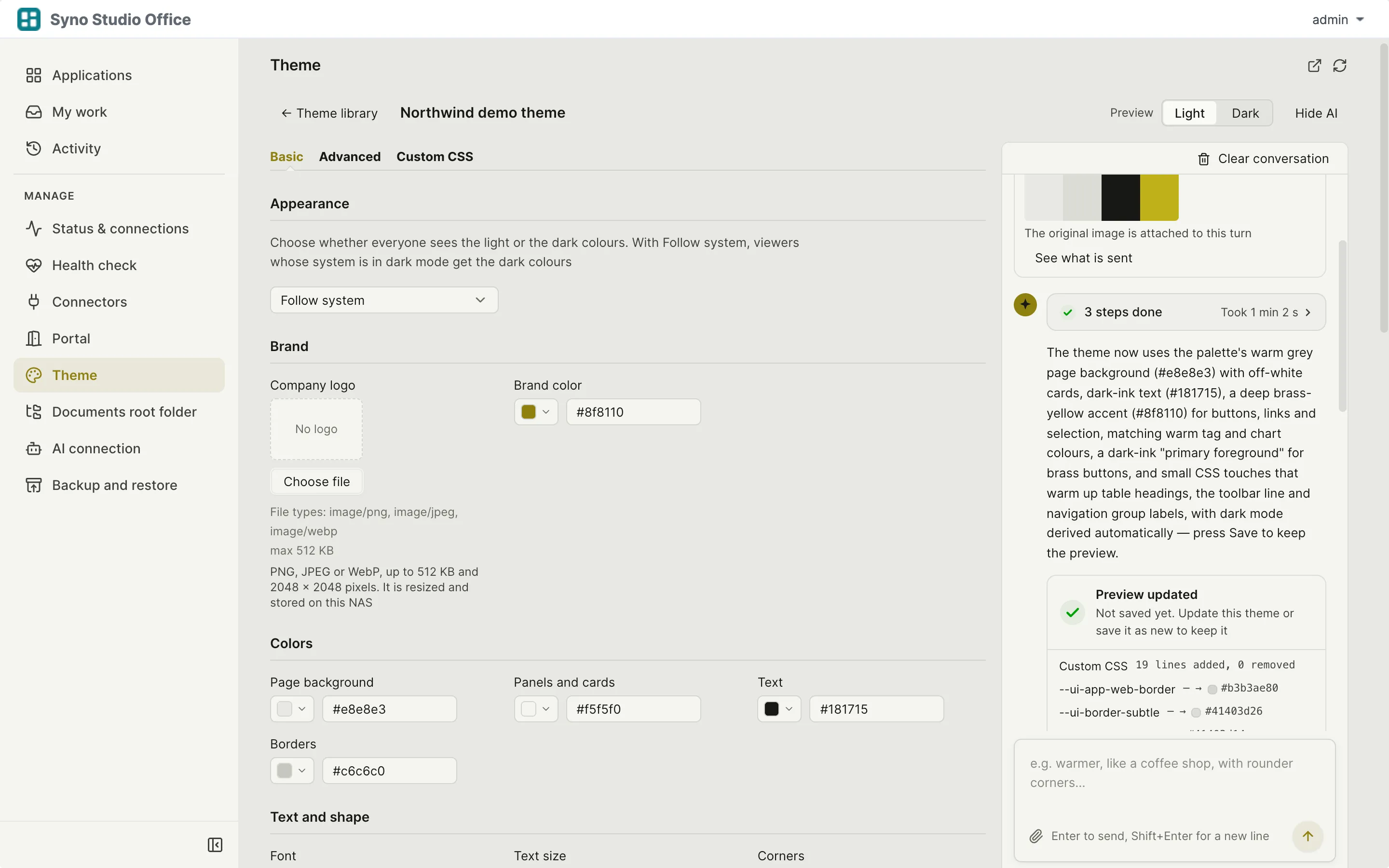
Theme assistant
Ask AI to fix a publish check
When something breaks, AI finds out why
It tells you what is wrong, who it affects and why
- Reads system status and logs
- Nothing changes until you confirm the fix
- Every case is kept in AI assistance history
Learn more
AI never deletes apps and never changes permissions, passwords or themes
For problems outside Syno Studio Office, such as the Node.js package or DSM tasks, AI gives steps for an administrator to follow
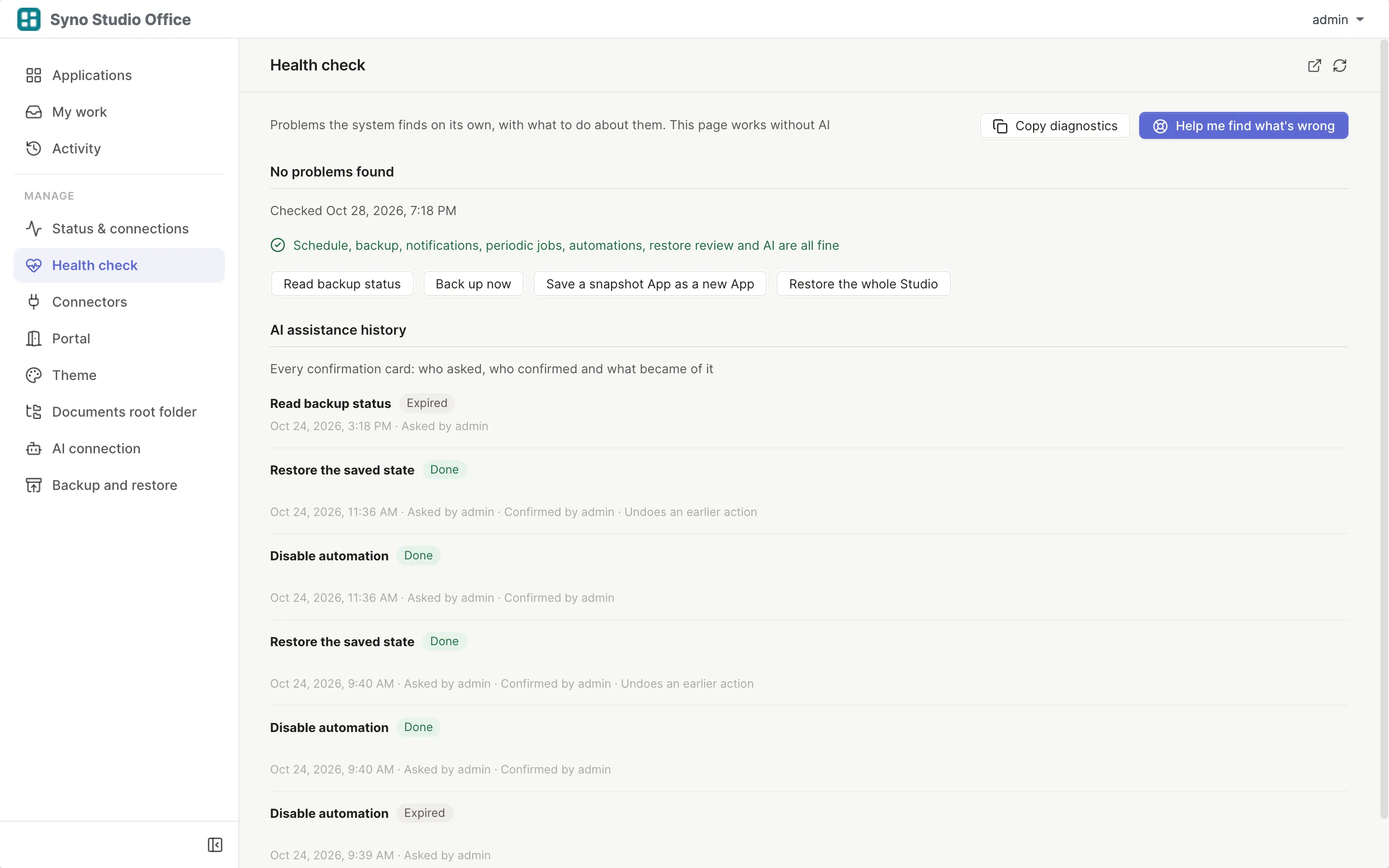
A fix card, applied only when you say so
- Each fix says exactly what it will do
- Nothing is touched before you confirm
Bring your own AI, no lock-in
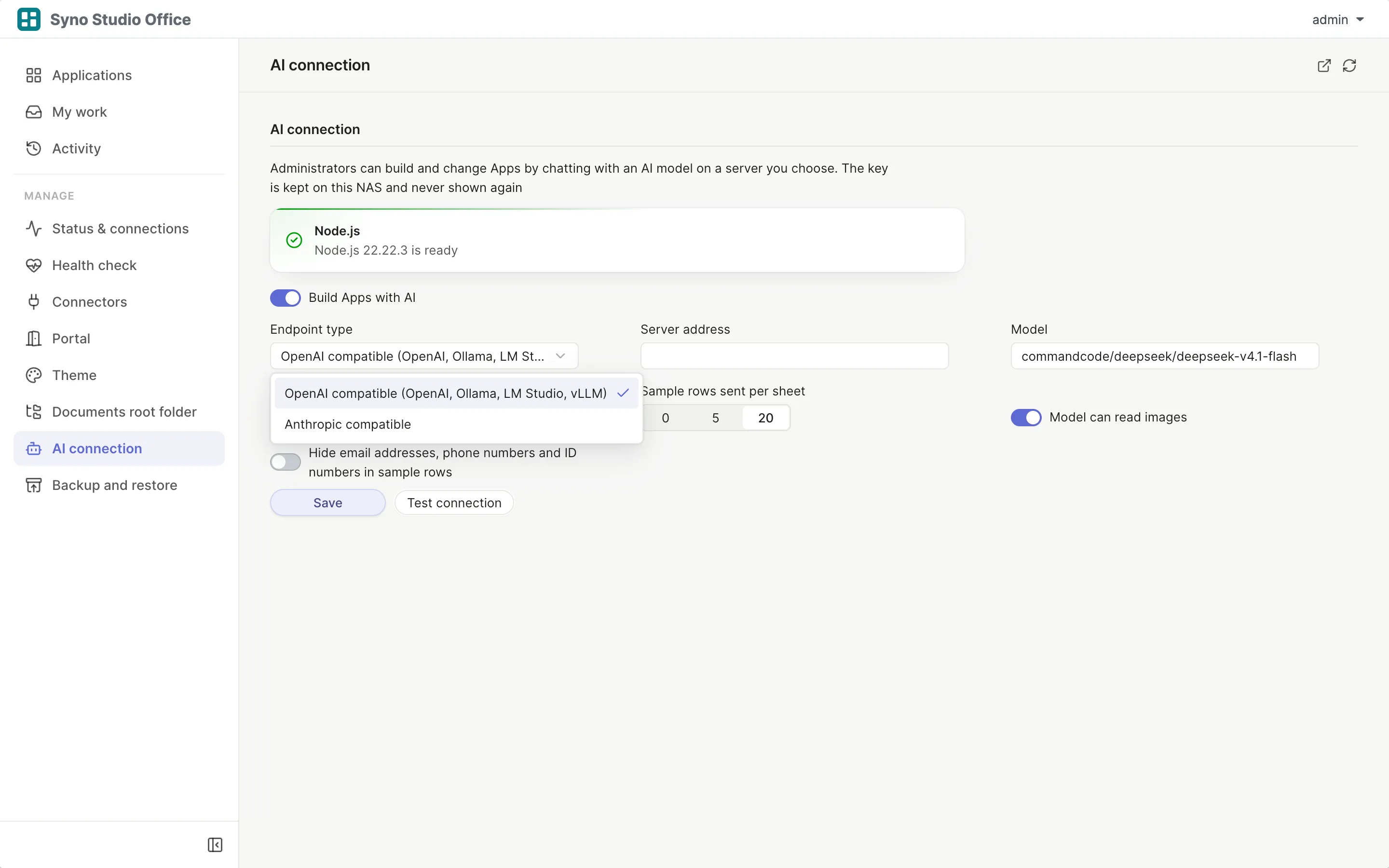
Syno Studio Office charges nothing extra for AI, you use your own AI account
- Works with OpenAI-compatible and Anthropic-compatible services
- Or a model on your own network, such as Ollama, LM Studio or vLLM
- Keys stay on your NAS and are hidden once saved
Learn more
You choose how many sample rows go to the AI, including none
Emails, phone numbers and ID numbers are masked automatically
Works without an AI connection too
Press Copy for AI, paste the prompt into a tool like ChatGPT, then paste the reply back
Questions
Do I pay extra for AI
Syno Studio Office charges nothing extra for AI, you use your own AI account and that service bills you
Where does my data go
Only to the service set in AI connection, you choose how many sample rows are sent and emails, phone numbers and ID numbers are masked
Can I use a model on our own network
Yes, for example Ollama, LM Studio or vLLM, as long as it offers an OpenAI-compatible or Anthropic-compatible interface
Who can build apps with AI
DSM administrators for now
What do I need to install
DSM 7.2 or later plus the Node.js v22 package
What if AI gets it wrong
AI only changes drafts and every round can be undone, the live app is untouched until you publish
Will AI change an app people are using
No, AI only works on drafts and fixes from the health check wait for your confirmation
Can it read images
That depends on your model, testing the connection detects it